kcp-memory: Give Claude Code a Memory
Every Claude Code session starts the same way. The context window is empty. The agent has no recollection of what it did yesterday, which files it touched last week, or how it solved a similar problem three sessions ago. Each session is day one.
That is not a limitation of the model. It is a missing infrastructure layer.
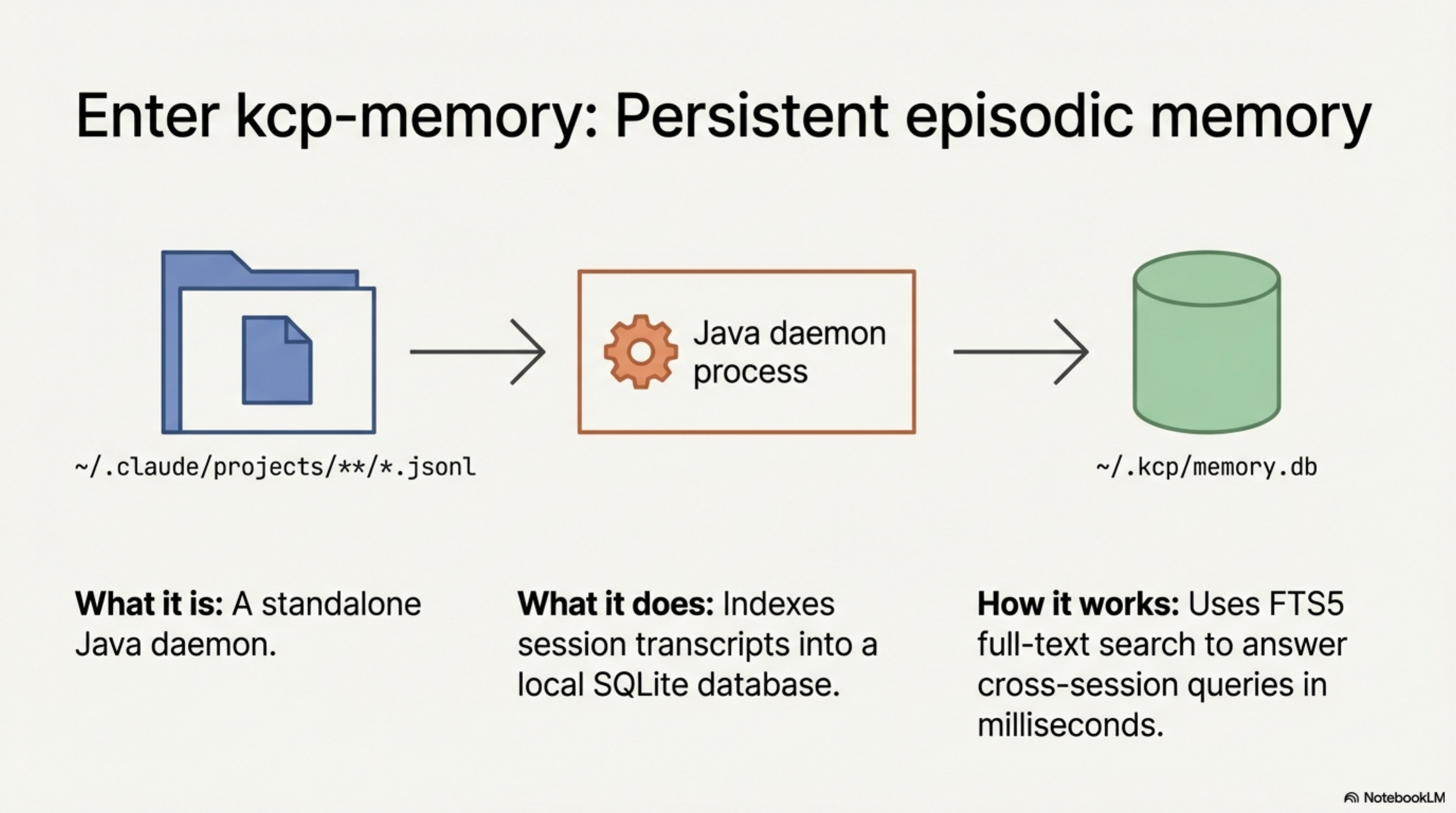
Today we are releasing kcp-memory v0.1.0: a standalone Java daemon that indexes
~/.claude/projects/**/*.jsonl session transcripts into a local SQLite database with
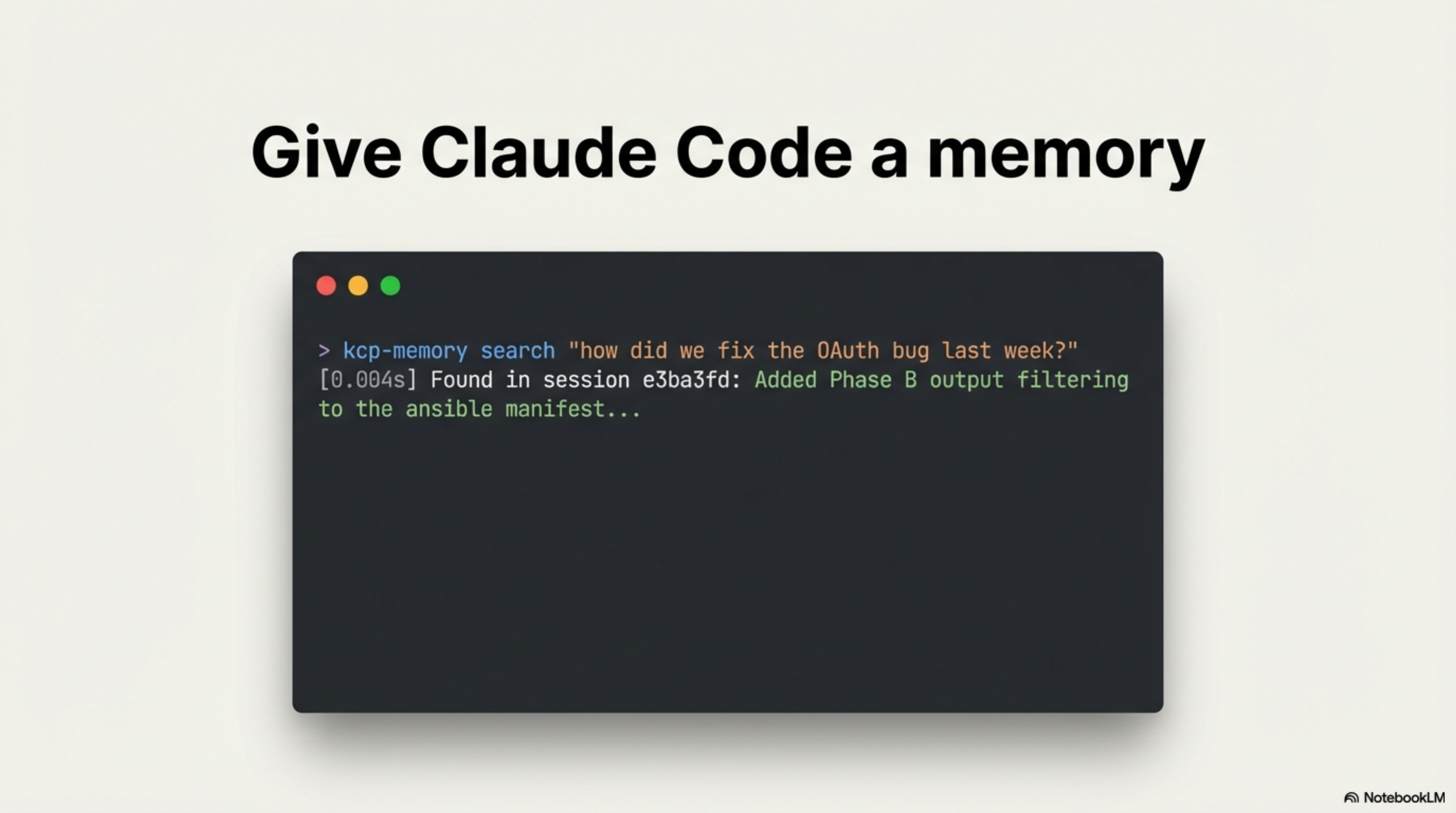
FTS5 full-text search. Ask it "what was I working on last week?" and it answers in
milliseconds.
Update (same day — v0.2.0): kcp-memory now ships with tool-level granularity.
kcp-commands v0.9.0 writes every Bash tool call to
~/.kcp/events.jsonl; kcp-memory ingests that stream and makes individual commands
searchable via kcp-memory events search. Session-level and tool-level memory in one
daemon, one database, zero additional dependencies.
Update (same day — v0.3.0): kcp-memory now ships as an MCP server. Run
java -jar ~/.kcp/kcp-memory-daemon.jar mcp — registered in mcpServers in
~/.claude/settings.json — and Claude Code can call kcp_memory_search,
kcp_memory_events_search, kcp_memory_list, and kcp_memory_stats inline during a
session, without leaving the context window.
Update (same day — v0.4.0): Two new MCP tools close the remaining gaps.
kcp_memory_session_detail(session_id) returns full session content — user messages,
files touched, tools used — completing the search → read flow. kcp_memory_project_context()
reads PWD from the process environment and returns the last 5 sessions and 20 tool events
for the current project, with no query needed. Call it at the start of every session and
Claude immediately knows what it was doing here last time.
The missing layer
Context windows have grown from 4K to 200K tokens in three years. Retrieval-augmented generation gives agents access to document stores. Model Context Protocol wires agents to external tools. The ecosystem has invested heavily in what an agent can do in one session.
What it has not built is a record of what happened across sessions.
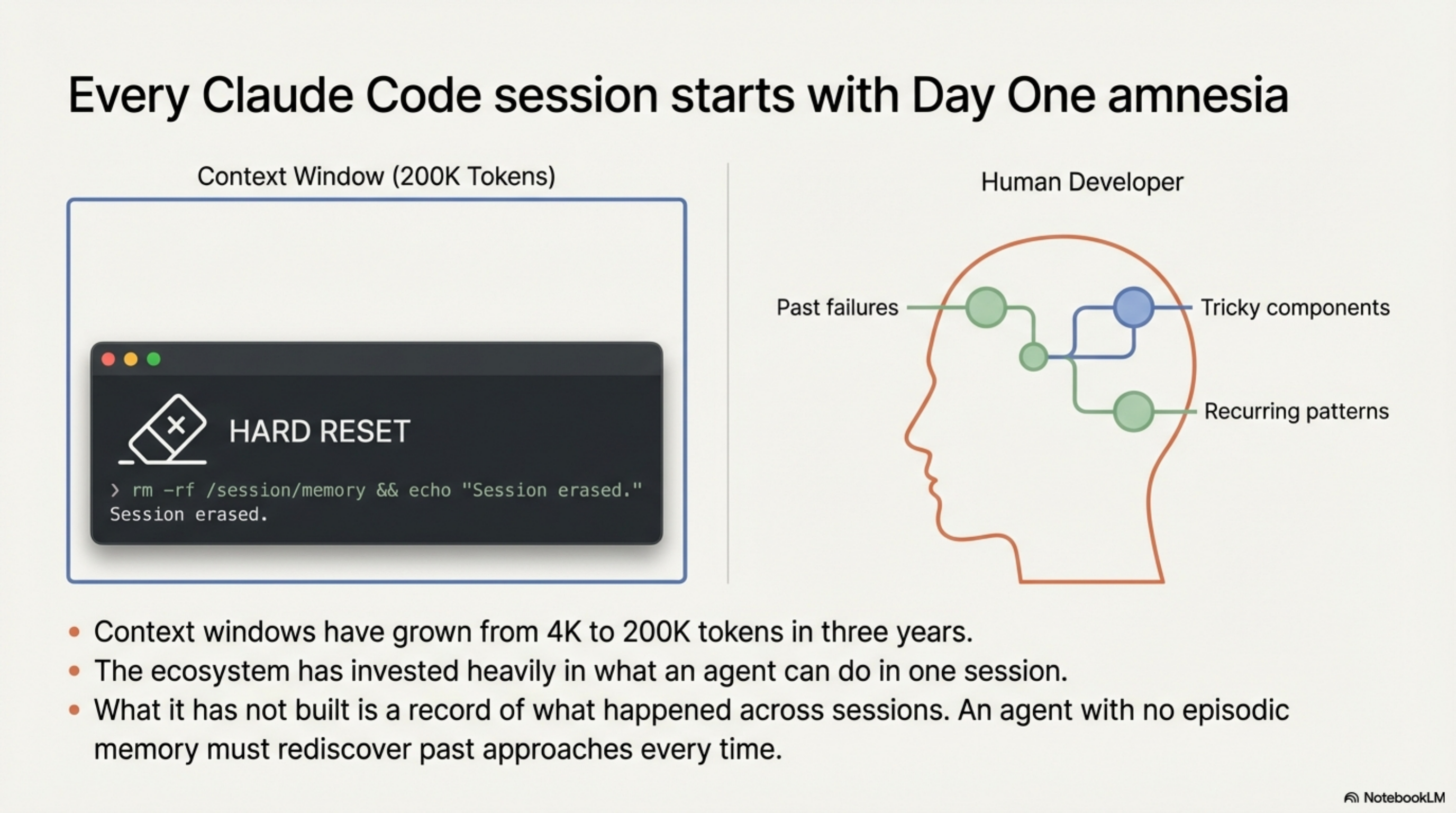
Human experts carry episodic memory: they remember which approaches failed, which components are tricky, which patterns recur across projects. An agent with no episodic layer has to rediscover all of it, every time.
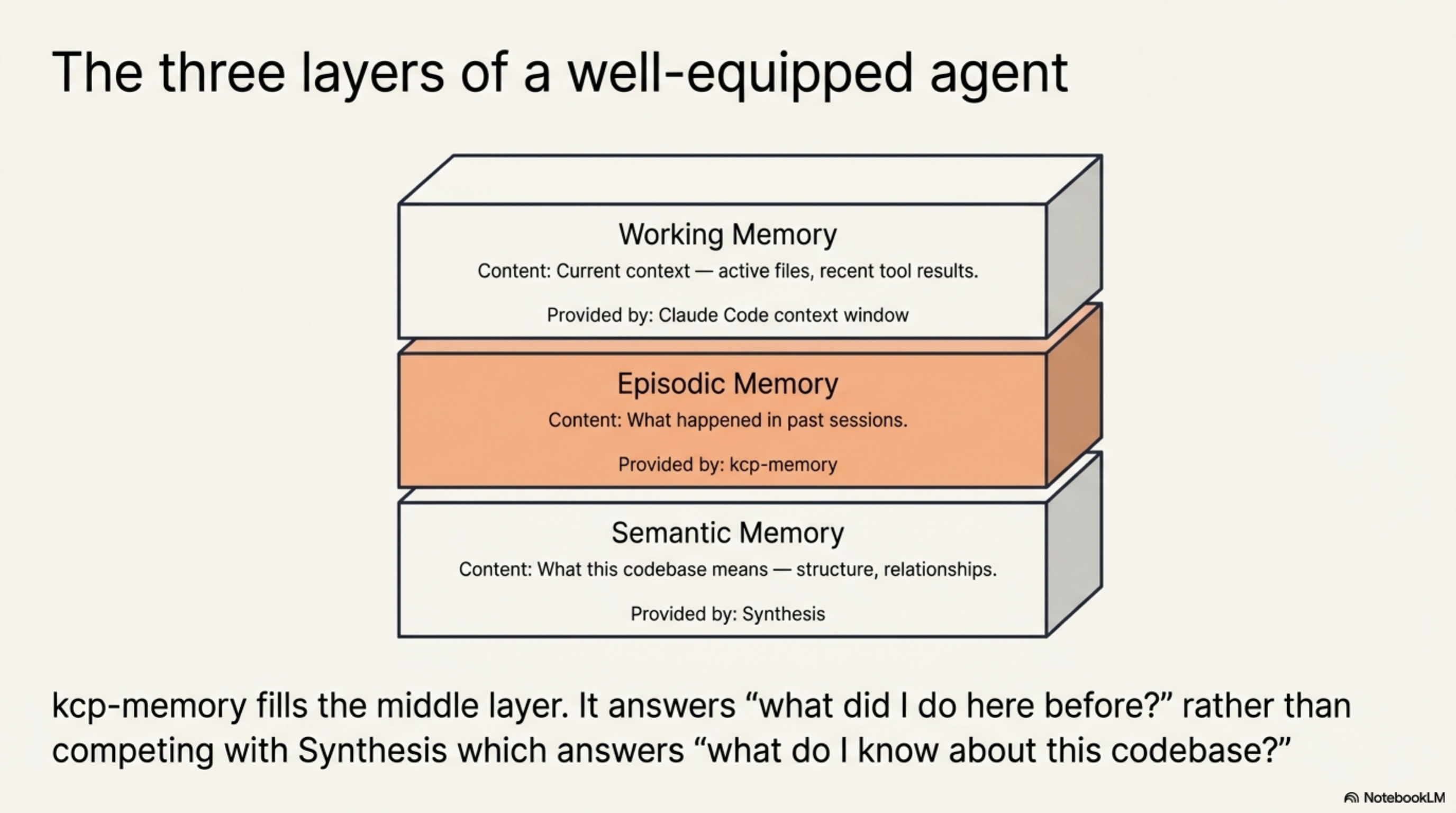
The three layers of a well-equipped agent look like this:
| Layer | What it holds | Provided by |
|---|---|---|
| Working | Current context — active files, recent tool results | Claude Code context window |
| Episodic | What happened in past sessions | kcp-memory |
| Semantic | What this codebase means — structure, relationships | Synthesis |
kcp-memory fills the middle layer. It does not compete with Synthesis — it is complementary. Synthesis answers "what do I know about this codebase?" kcp-memory answers "what did I do here before?"
What it indexes
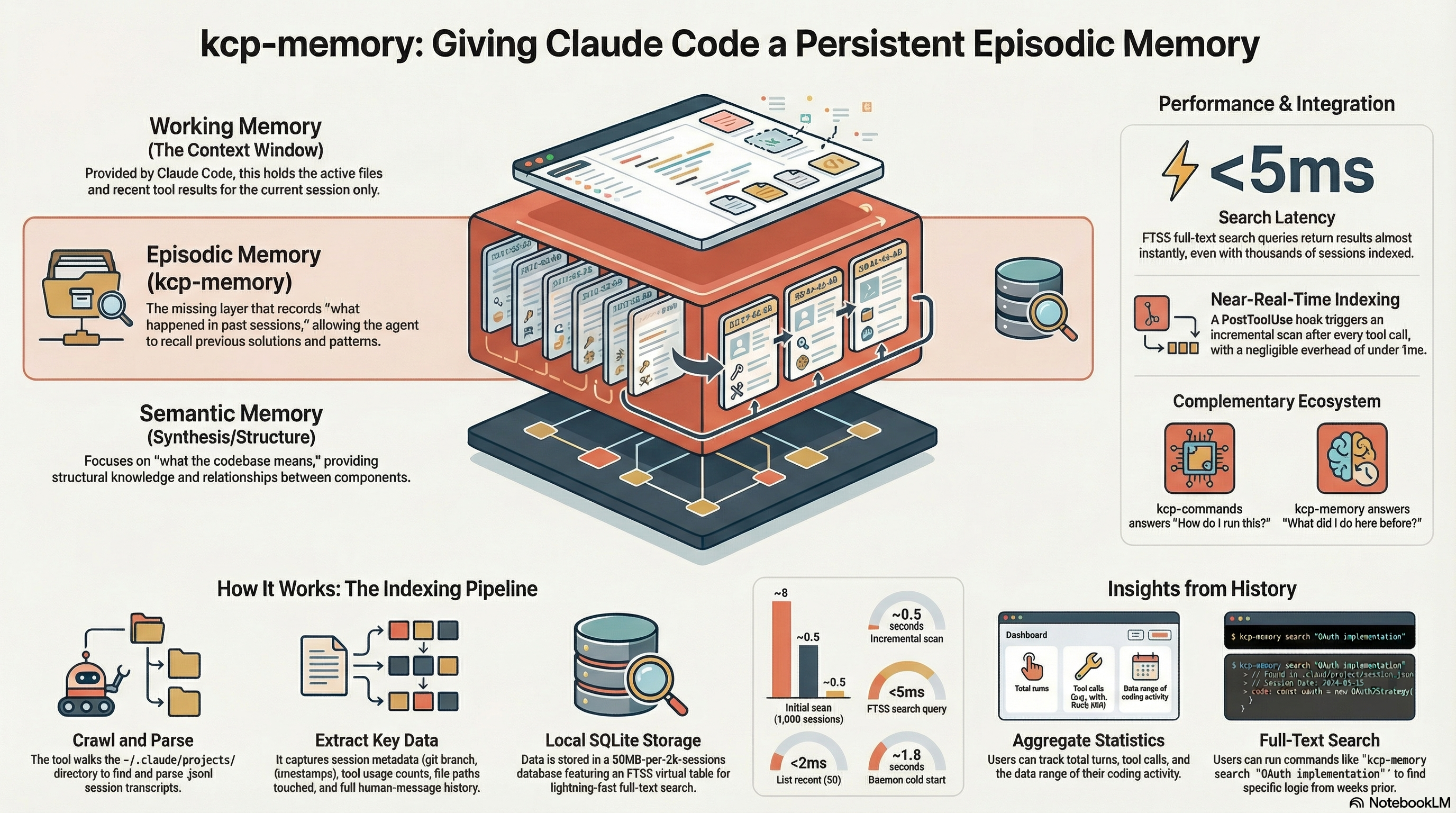
Claude Code writes every session to ~/.claude/projects/<slug>/<session-id>.jsonl. Each
line is a JSON object representing one turn: human message, assistant response, or tool
result.
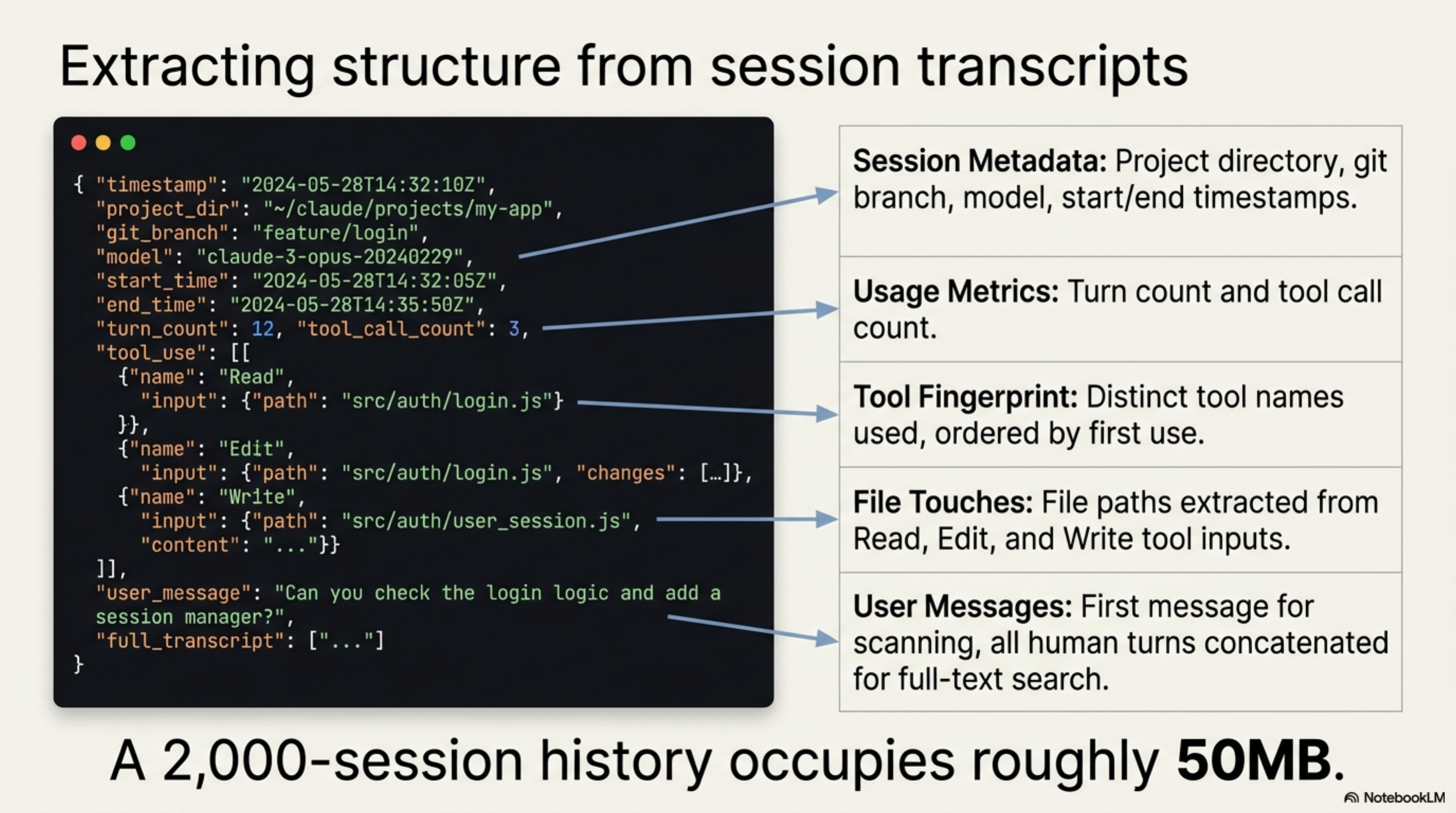
kcp-memory walks that directory, parses each file, and extracts:
- Session metadata: project directory, git branch, model, start/end timestamps
- Turn count and tool call count
- Tool names used (distinct, ordered by first use)
- File paths touched (from
Read,Edit,Writetool inputs) - User messages: the first message (for quick scanning) and all human turns concatenated (for full-text search)
Everything lands in a single ~/.kcp/memory.db SQLite file with an FTS5 virtual table
over the session content. A 2,000-session history occupies roughly 50MB.
The CLI
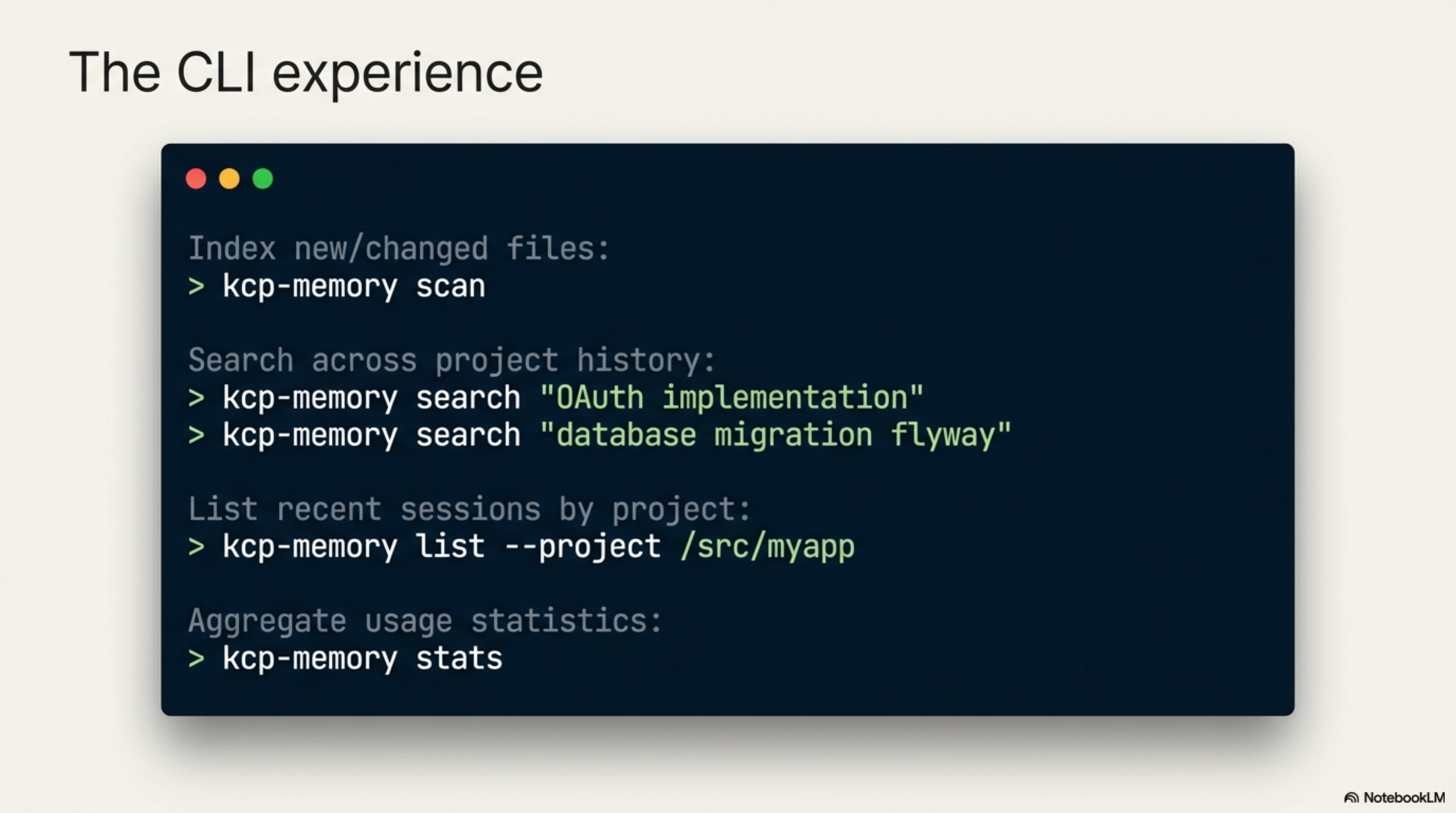
# Index all sessions (incremental — only new/changed files)
kcp-memory scan

# Search across everything you've ever done
kcp-memory search "OAuth implementation"
kcp-memory search "database migration flyway"
kcp-memory search "how to deploy kubernetes"

# List recent sessions
kcp-memory list
kcp-memory list --project /src/myapp

# Aggregate statistics
kcp-memory stats

# Search individual tool-call events (v0.2.0 — requires kcp-commands v0.9.0)
kcp-memory events search "kubectl apply"
kcp-memory events search "flyway migrate"
kcp-memory events search "docker build"
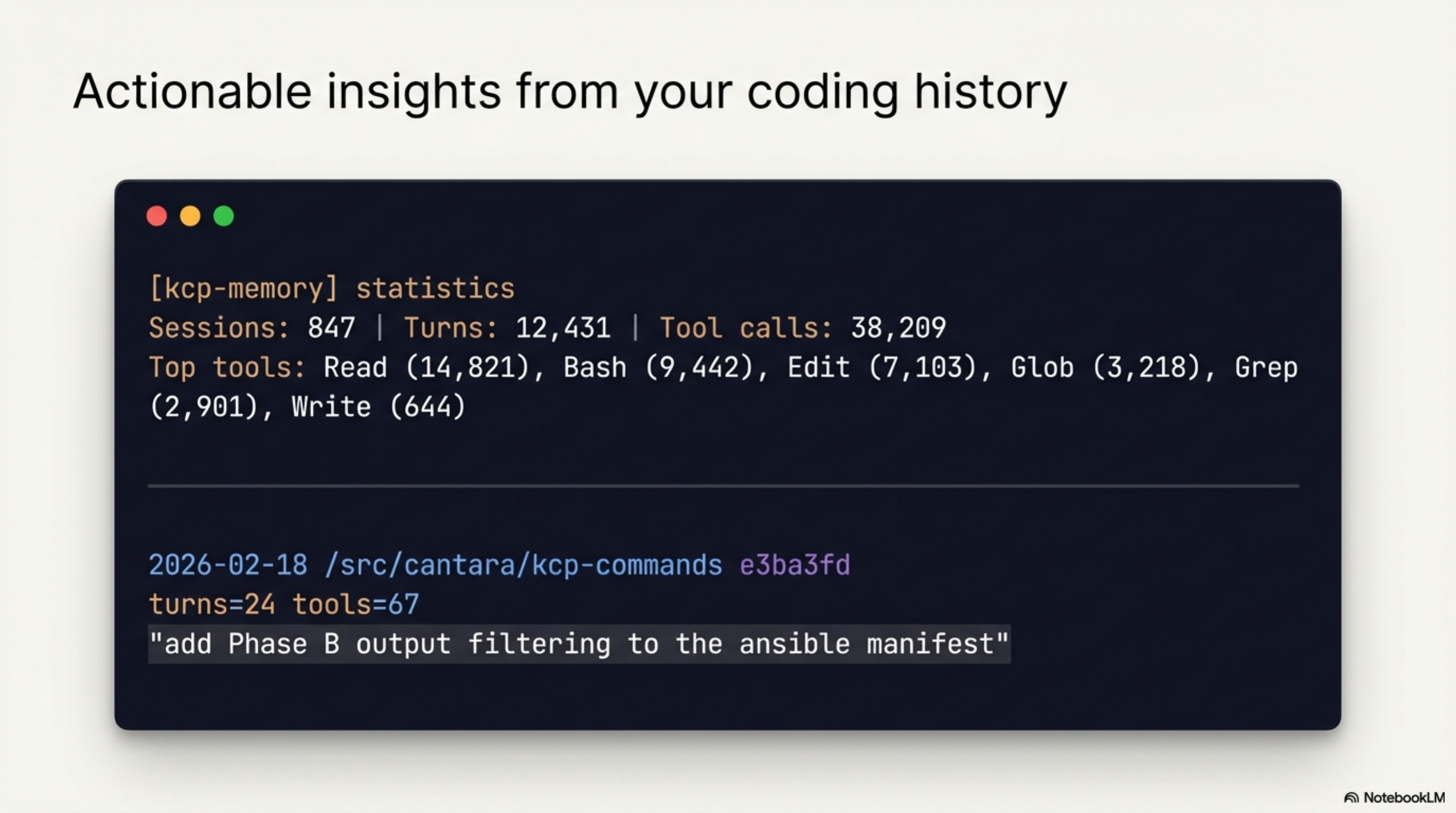
A stats output from a real session history:
[kcp-memory] statistics
─────────────────────────────────
  Sessions:    847
  Turns:       12,431
  Tool calls:  38,209
  Oldest:      2026-01-15T09:12:00Z
  Newest:      2026-03-03T14:55:00Z

  Top tools:
    Read                      14,821
    Bash                       9,442
    Edit                       7,103
    Glob                       3,218
    Grep                       2,901
    Write                        644
A search result:
  2026-02-18  /src/cantara/kcp-commands
  e3ba3fd     turns=24  tools=67
  "add Phase B output filtering to the ansible manifest"

  2026-02-11  /src/exoreaction/lib-pcb
  a91c2f0     turns=18  tools=41
  "implement the Gerber export for copper layers"
The daemon
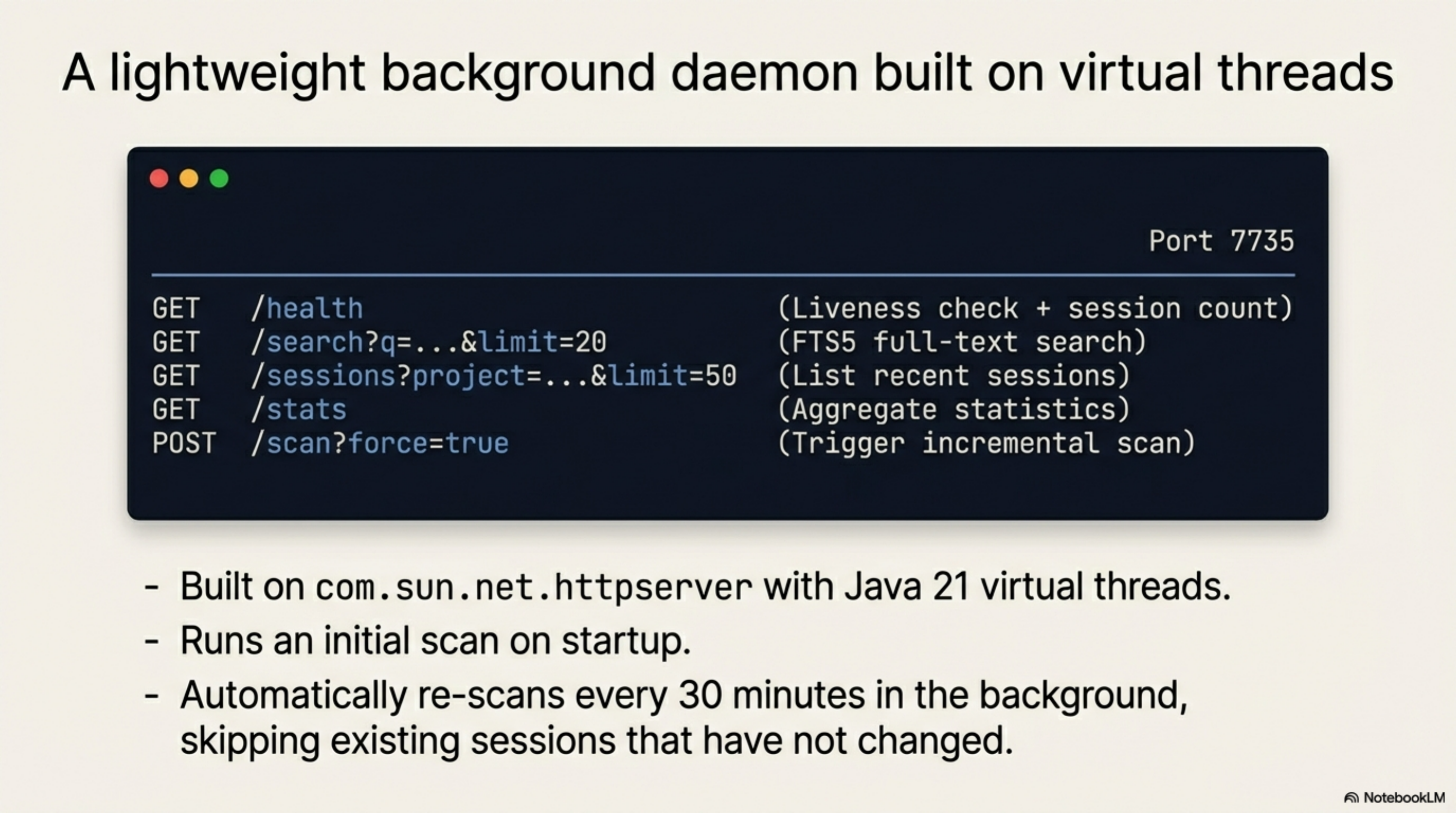
kcp-memory runs as a local HTTP daemon on port 7735:
| Endpoint | Method | Description |
|---|---|---|
/health |
GET | Liveness check + session count |
/search?q=...&limit=20 |
GET | FTS5 search over session transcripts |
/sessions?project=...&limit=50 |
GET | List recent sessions |
/stats |
GET | Aggregate statistics |
/scan?force=true |
POST | Trigger an incremental scan |
/events/search?q=...&limit=20 |
GET | FTS5 search over tool-call events (v0.2.0) |
Built on com.sun.net.httpserver with virtual threads — the same architecture as
kcp-commands. Cold start is under 2 seconds. Queries return in under 5ms on a 1,000-session
database.
The daemon runs an initial scan on startup and re-scans every 30 minutes in the background. Existing sessions that have not changed since the last scan are skipped.
PostToolUse hook
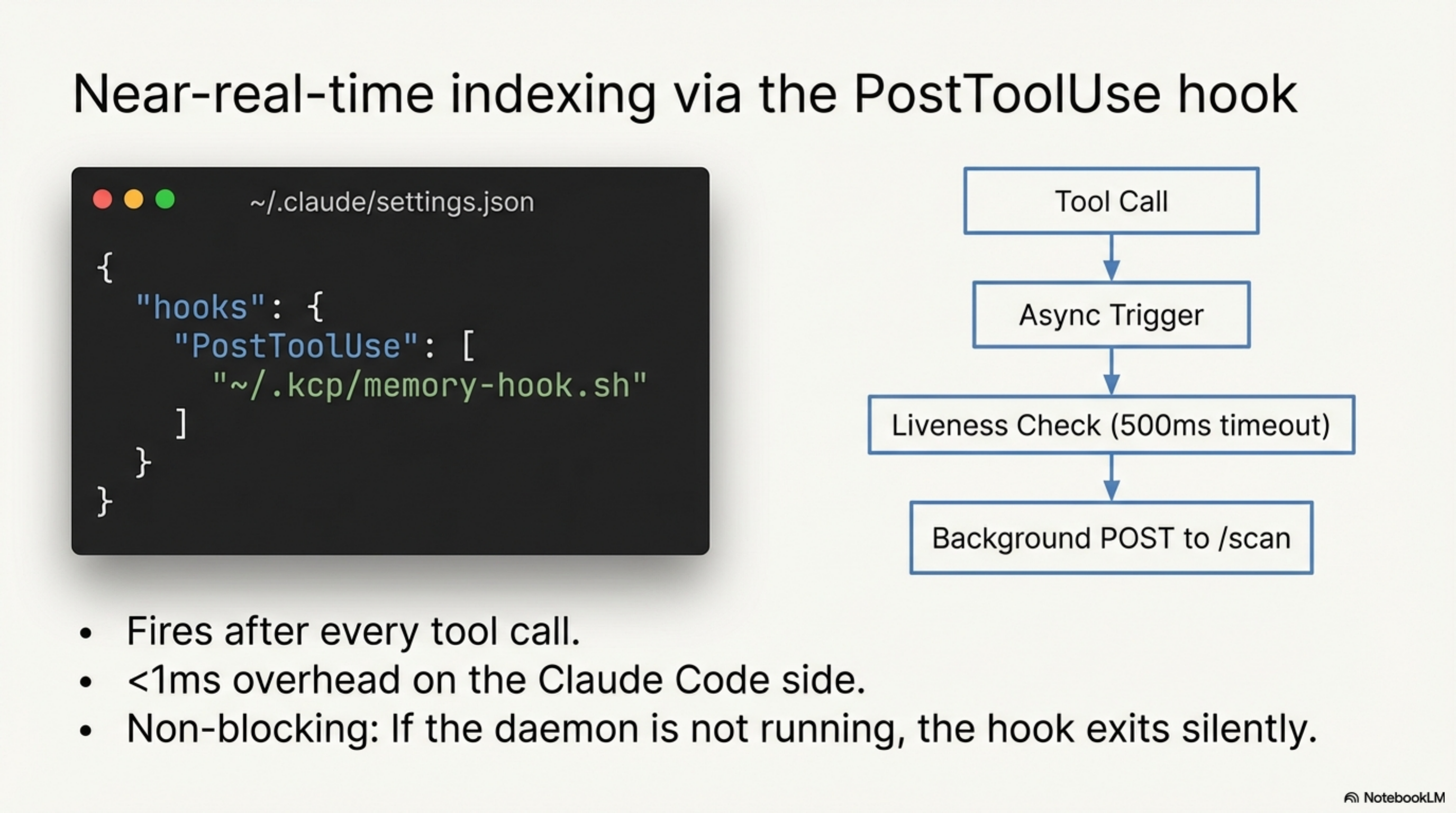
For near-real-time indexing, wire the hook into ~/.claude/settings.json:
{
  "hooks": {
    "PostToolUse": [
      {
        "matcher": ".*",
        "hooks": [{"type": "command", "command": "~/.kcp/memory-hook.sh"}]
      }
    ]
  }
}
The hook fires after every tool call and triggers an async scan. It checks whether the
daemon is running with a 500ms timeout and fires a background POST to /scan if it is.
Total overhead: under 1ms on the Claude Code side. If the daemon is not running, the
hook exits silently. It never blocks.
MCP server (v0.3.0)
kcp-memory exposes its search capabilities as MCP tools for Claude Code. Add one entry
to ~/.claude/settings.json and Claude can query its own session history inline during
a session — no manual CLI call, no context-switching:
{
  "mcpServers": {
    "kcp-memory": {
      "command": "java",
      "args": ["-jar", "/home/totto/.kcp/kcp-memory-daemon.jar", "mcp"]
    }
  }
}
Six tools are registered (four in v0.3.0, two added in v0.4.0):
| Tool | What it answers |
|---|---|
kcp_memory_search |
"What did we do with OAuth last month?" — FTS5 over session transcripts |
kcp_memory_events_search |
"Which projects did I run kubectl apply in?" — FTS5 over tool-call events |
kcp_memory_list |
Recent sessions, optionally filtered to the current project |
kcp_memory_stats |
Total sessions, turns, tool calls, top tools |
kcp_memory_session_detail |
Full session content — user messages, files touched, tools used (v0.4.0) |
kcp_memory_project_context |
Auto-detect PWD, return last 5 sessions + 20 events — no query needed (v0.4.0) |
The MCP server runs an initial scan at startup and calls EventLogScanner inline before
kcp_memory_events_search queries — so the most recently written events are always
searchable. Transport: stdio (newline-delimited JSON-RPC 2.0). Cold start under 2 seconds.
The loop is now closed: Claude runs → kcp-memory indexes → Claude queries.
Session detail and project context (v0.4.0)
v0.4.0 adds two tools that make the MCP integration proactive rather than reactive.
kcp_memory_session_detail closes the find → read gap. kcp_memory_search returns
session metadata — date, project, first message. Once you find a relevant session, you
want to read what actually happened. session_detail takes a session ID and returns the
full content: all user messages (up to 4,000 chars), every file touched, and the tools
used.
Session: ad732c58-af84-48dd-8c4e-80fe074800b0
Project: /src/cantara/kcp-memory
Model:   claude-sonnet-4-6
Date:    2026-03-03
Turns:   47  Tool calls: 183

Tools used: Read, Edit, Bash, Write, Glob, Grep

Files touched (12):
  java/src/main/java/com/cantara/kcp/memory/mcp/McpServer.java
  java/src/main/java/com/cantara/kcp/memory/cli/KcpMemoryCli.java
  ...

User messages:
"ok, should we push further down the line for kcp-memory?"
"yes, let's do it"
...
kcp_memory_project_context makes memory proactive. It reads PWD from the process
environment — no query, no session ID, no argument — and returns the last 5 sessions and
20 tool-call events for the current project. Call it at the start of a session and Claude
immediately has the context it needs: what was being worked on, which commands were run,
what files were touched.
Project context: /src/cantara/kcp-memory

Recent sessions (3):

2026-03-03  /src/cantara/kcp-memory
ad732c58  turns=47  tools=183
"ok, should we push further down the line for kcp-memory?"

Recent tool-call events (7):

2026-03-03 16:35  /src/cantara/kcp-memory
ad732c58  [git-tag]
$ git tag v0.3.0 && git push && git push --tags
...
With project_context in the MCP toolset, the blank slate problem is structurally
solved for the current project: the agent arrives knowing what it was doing, not just
what the codebase contains.
Performance
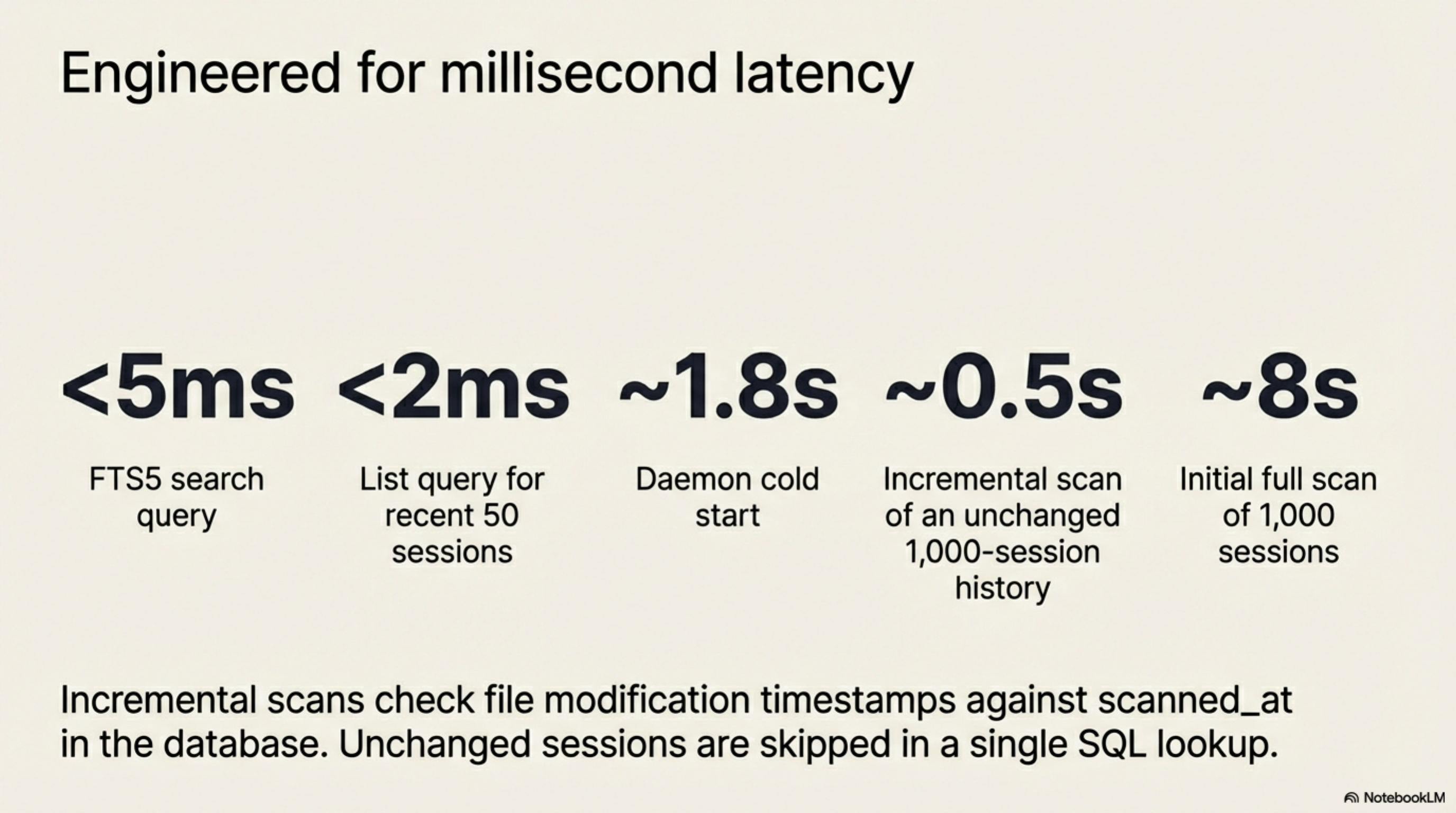
| Operation | Time |
|---|---|
| Initial scan (1,000 sessions) | ~8 seconds |
| Incremental scan (unchanged sessions) | ~0.5 seconds |
| FTS5 search query | <5ms |
| List query (recent 50) | <2ms |
| Daemon cold start | ~1.8 seconds |
The incremental scan checks the file modification timestamp against the scanned_at
timestamp in the database. A session that has not changed since the last scan is skipped
in a single SQL lookup — the entire scan of an unchanged 1,000-session history takes
under a second.
Install
The installer:
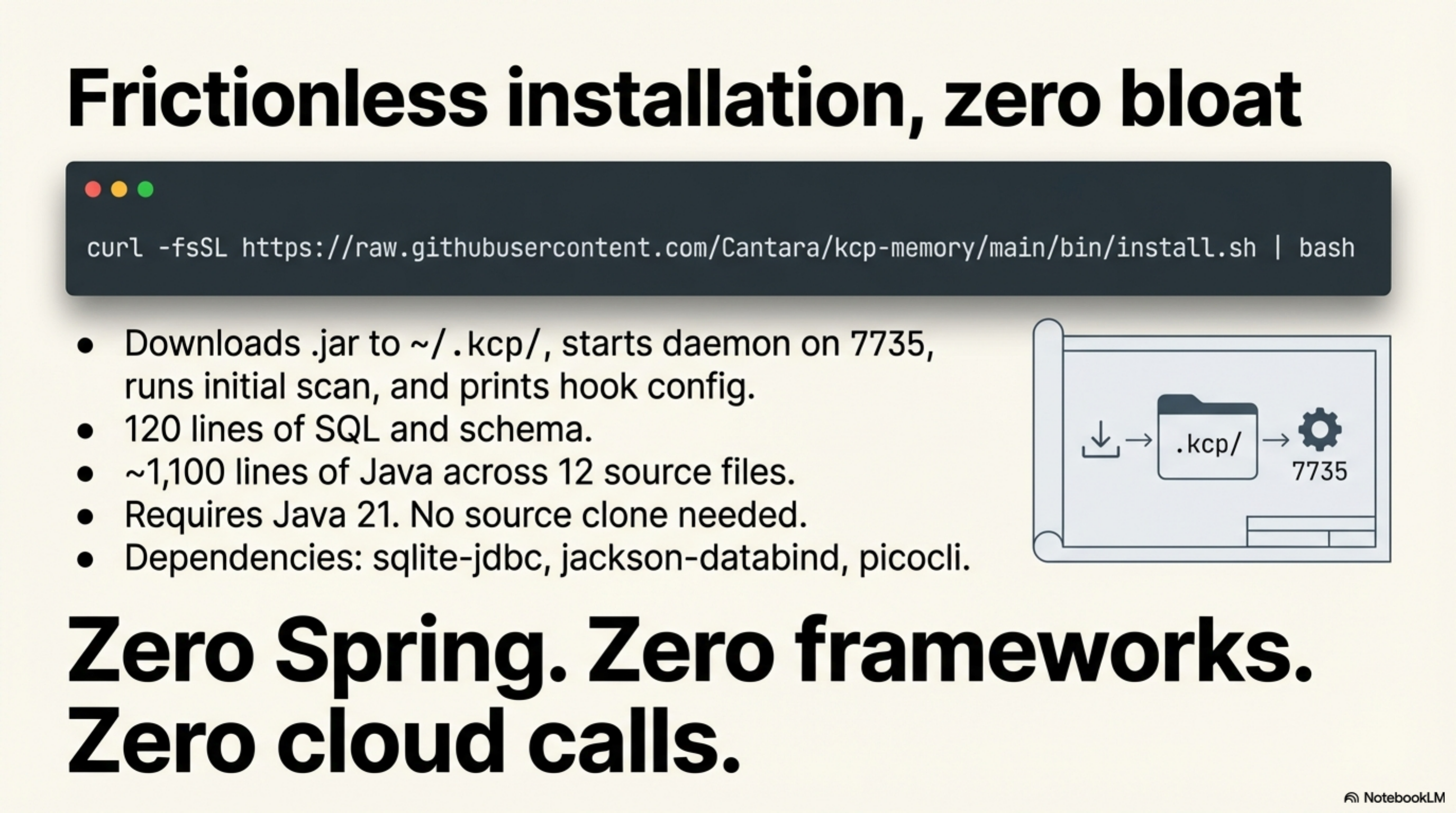
1. Downloads kcp-memory-daemon.jar from GitHub Releases to ~/.kcp/
2. Starts the daemon on port 7735
3. Runs an initial scan of ~/.claude/projects/
4. Prints the PostToolUse hook configuration
Requires Java 21. No source clone needed.
Alias (add to ~/.bashrc or ~/.zshrc):
How it relates to kcp-commands
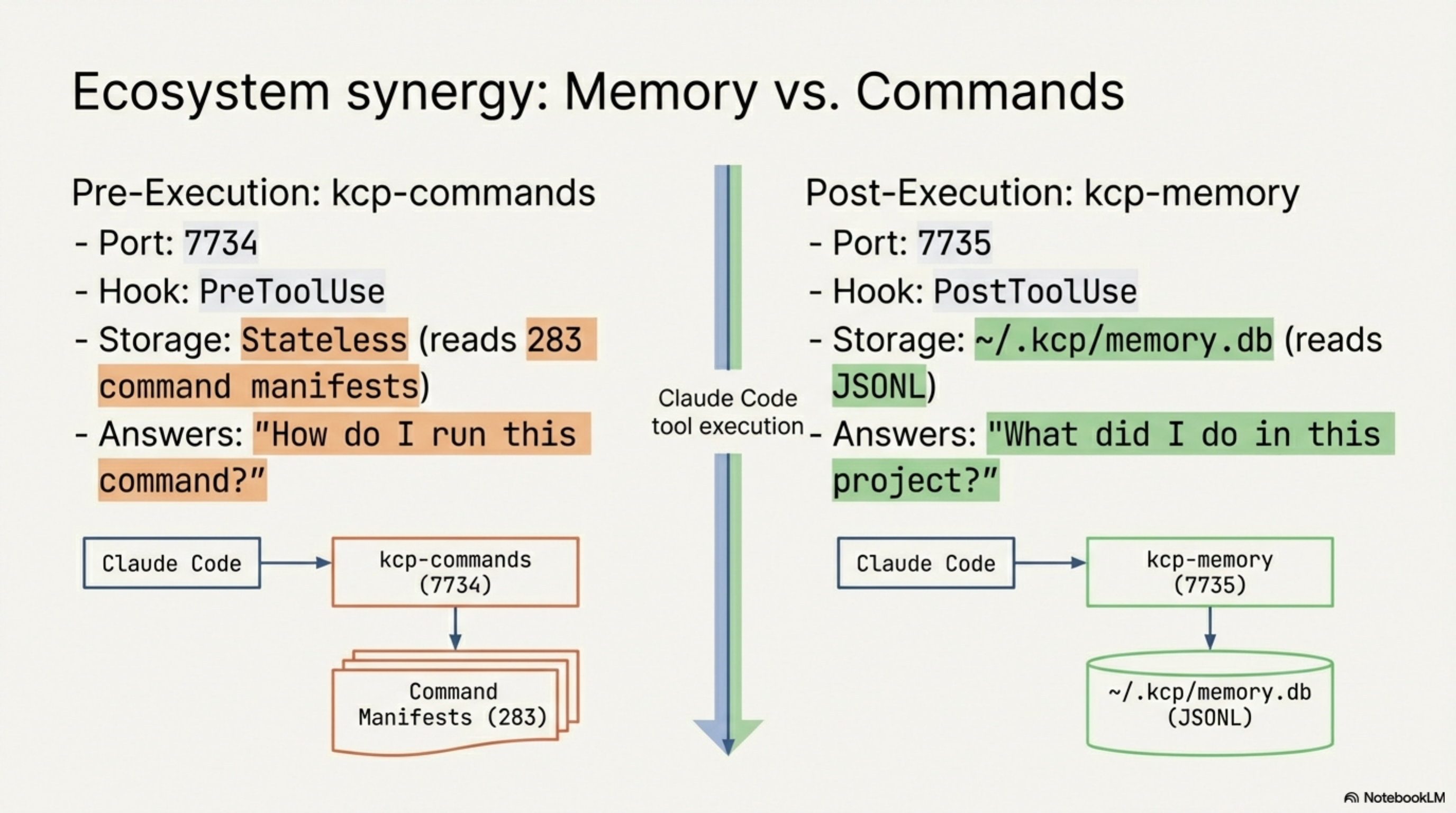
kcp-commands and kcp-memory are designed to run alongside each other. They share the
~/.kcp/ directory and use adjacent ports:
| kcp-commands | kcp-memory | |
|---|---|---|
| Port | 7734 | 7735 |
| Hook | PreToolUse | PostToolUse |
| Stores | Nothing (stateless) | ~/.kcp/memory.db |
| Reads | 283 command manifests | ~/.claude/projects/**/*.jsonl |
| Answers | "How do I run this command?" | "What did I do in this project?" |
kcp-commands saves context window by giving Claude better command knowledge before execution. kcp-memory makes past sessions retrievable. They solve different problems at different points in the tool call lifecycle — one before, one after.
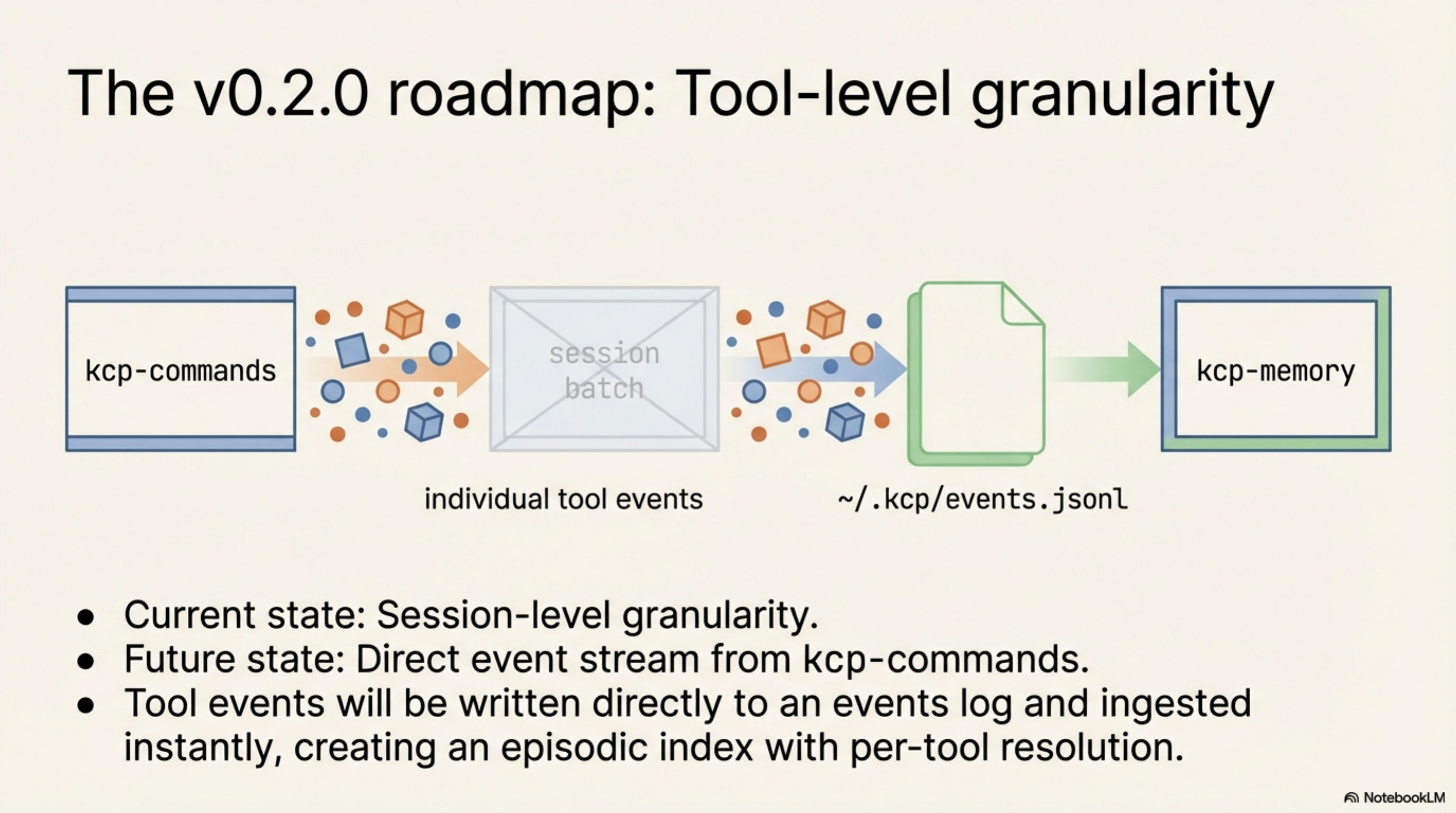
v0.2.0 — shipped today: kcp-commands v0.9.0 now writes a JSON event to
~/.kcp/events.jsonl on every Phase A Bash hook call. Each event carries ts,
session_id, project_dir, tool, command (first 500 chars), and manifest_key.
kcp-memory v0.2.0 reads that file incrementally using a byte-offset cursor — so each
PostToolUse-triggered scan processes only the lines appended since the last scan, typically
one event in under 1ms.
The result: kcp-memory events search "kubectl apply" returns every time Claude ran that
command across all your projects, with project directory, session ID, and exact timestamp.
Session-level granularity ("I was working on X") and tool-level granularity ("I ran Y in
project Z at 14:32") from the same daemon and the same database.
Source
The project is at github.com/Cantara/kcp-memory. Apache 2.0.
~200 lines of SQL and schema across two migrations, ~1,850 lines of Java across seventeen
source files. The only dependencies are sqlite-jdbc, jackson-databind, and picocli.
No Spring, no framework, no cloud calls.
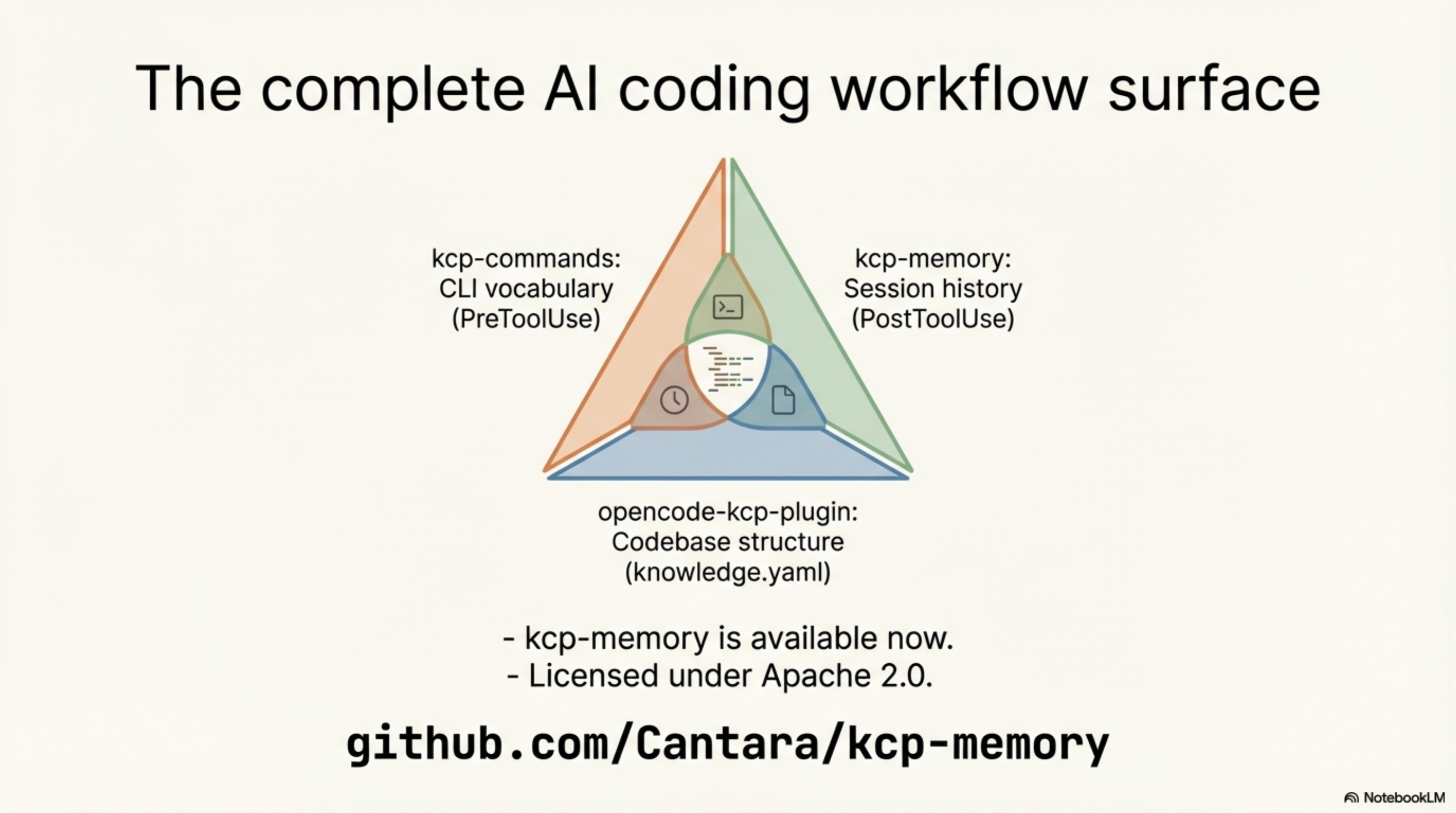
The KCP ecosystem now has three tools covering three different surfaces of the AI coding workflow:
- kcp-commands — CLI vocabulary (283 command manifests, PreToolUse hook)
- kcp-memory — session history (SQLite + FTS5, PostToolUse hook)
- opencode-kcp-plugin — codebase structure (knowledge.yaml in system prompt)
This post is part of the Knowledge Context Protocol series. Previous: KCP Comes to OpenCode: The First AI Coding Tool Plugin
Series: Knowledge Context Protocol
← kcp-commands: Save 33% of Claude Code's Context Window · Part 15 of 25 · KCP Comes to OpenCode: The First AI Coding Tool Plugin →