KCP on Two Repos, Two Days: What the Numbers Actually Show
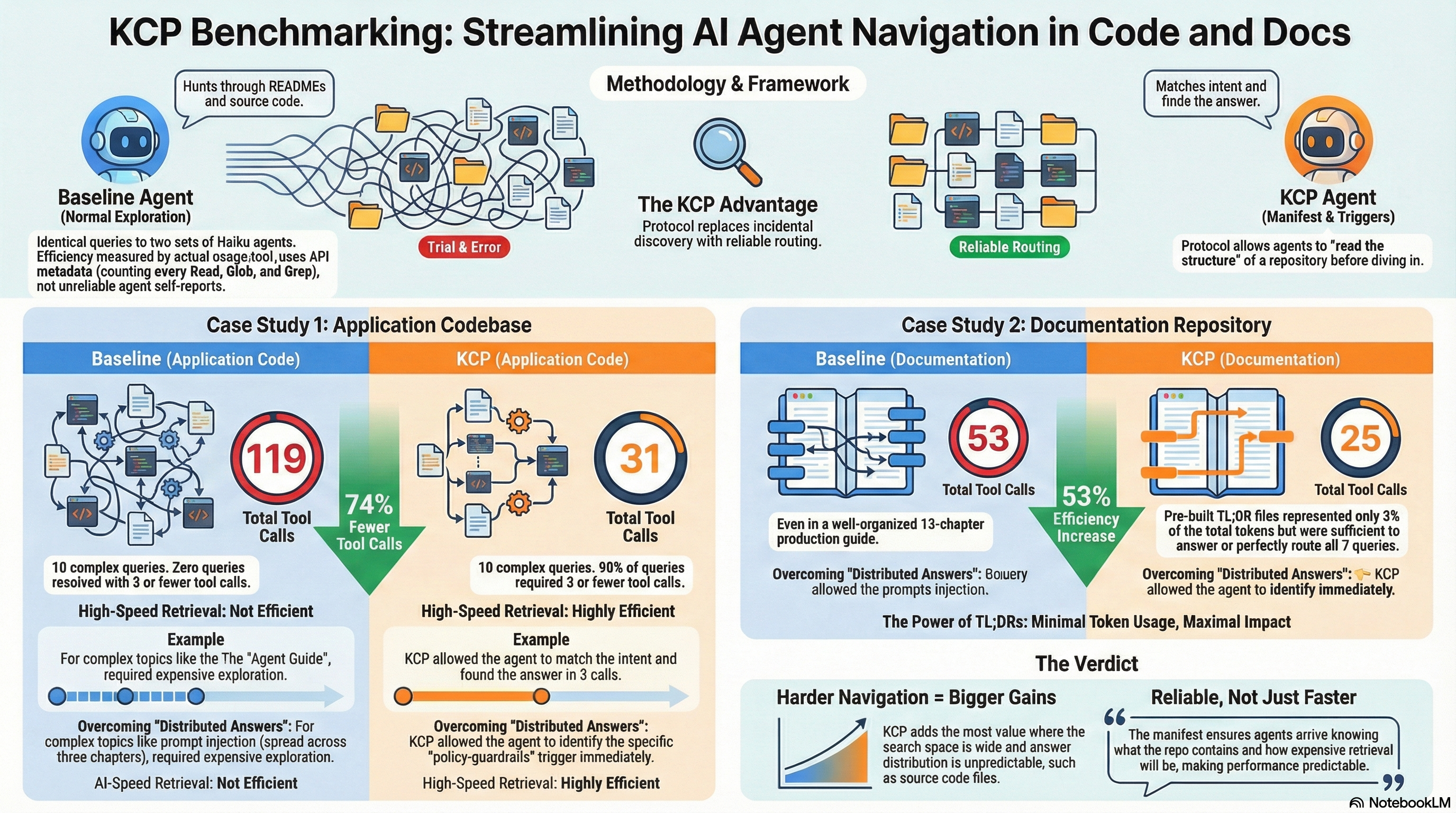
This week we applied KCP to two repositories back to back. Both got a knowledge.yaml manifest, pre-built TL;DR files for the highest-traffic sections, and a before/after benchmark using the same model and methodology.
The repos are very different. One is an application codebase — a plugin wizard for an AI-native design platform, 15 documentation units covering architecture, agent types, tools, shape schemas, and plugin protocols. The other is a pure documentation repository — a 13-chapter production guide for building safe infrastructure agents, 226 KB of structured decision frameworks and deployment checklists.
The question was whether KCP adds meaningful value in both cases, and whether the nature of the content changes the answer.
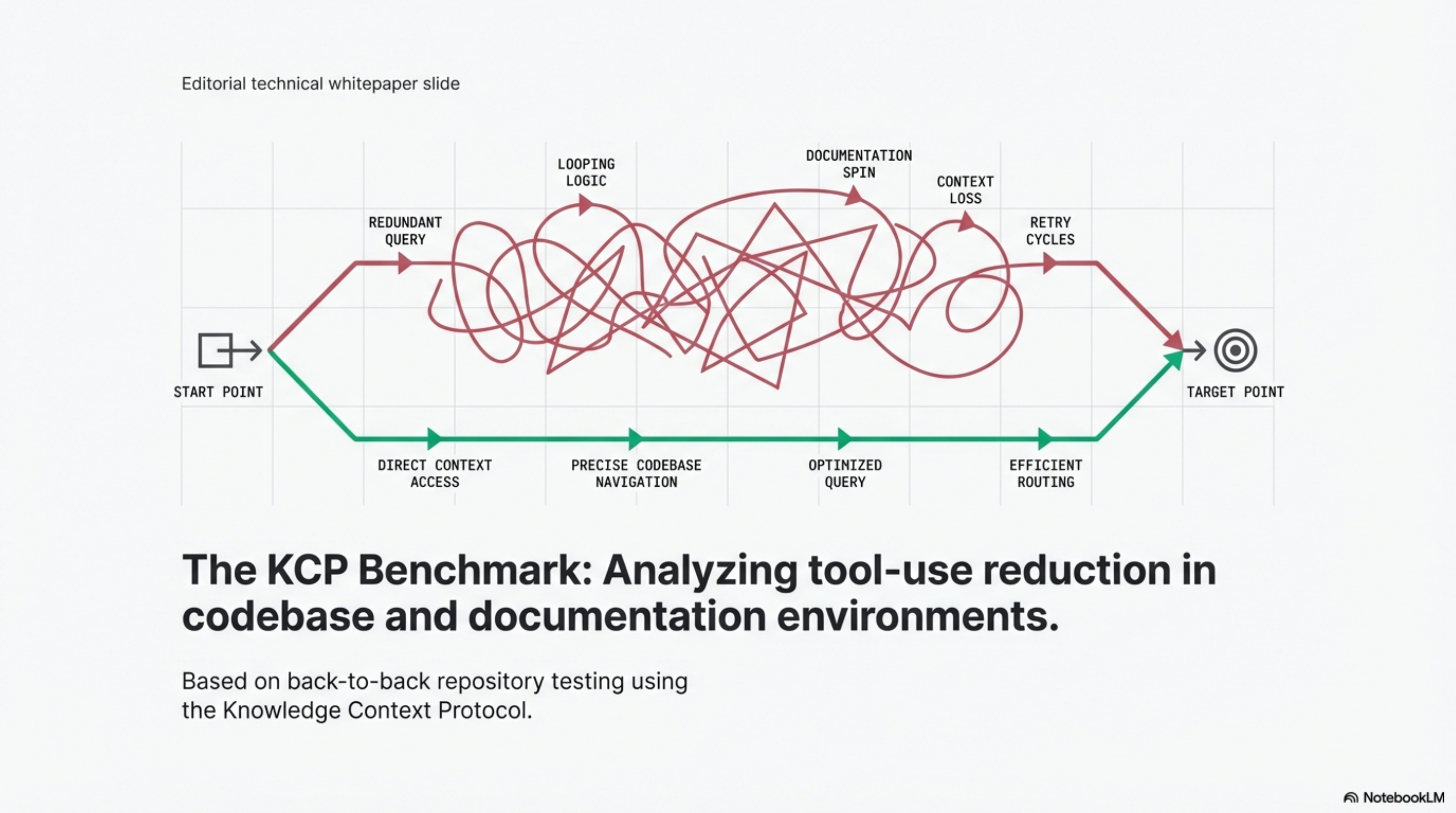
Methodology
In both experiments: seven to ten identical queries were given to a set of Haiku agents. One set was told to explore the repository normally (baseline). The other was told to read knowledge.yaml first, match their query to the triggers and intent fields, and read only the files pointed to by the matching unit.
Tool-use counts come from the API usage.tool_uses metadata — not agent self-reports. This counts every Read, Glob, and Grep call regardless of what the agent claims it did. It is the most accurate measure available.
All agents ran in the same session for consistency.
Repo 1: Application codebase (plugin wizard)
15 units. 10 queries. Same model both rounds.
| Query | Baseline | KCP | Saved |
|---|---|---|---|
| Architecture and data flow | 5 | 2 | 3 |
| How to create a new agent | 16 | 3 | 13 |
| Shape fill and stroke properties | 7 | 2 | 5 |
| How to add a new tool | 14 | 3 | 11 |
| How the postMessage protocol works | 17 | 3 | 14 |
| Drawing bezier paths | 11 | 2 | 9 |
| Design token types | 7 | 2 | 5 |
| How to add an icon library | 19 | 9 | 10 |
| Coordinator approval protocol | 9 | 2 | 7 |
| How to add a new RAG database | 14 | 3 | 11 |
| Total | 119 | 31 | 88 |
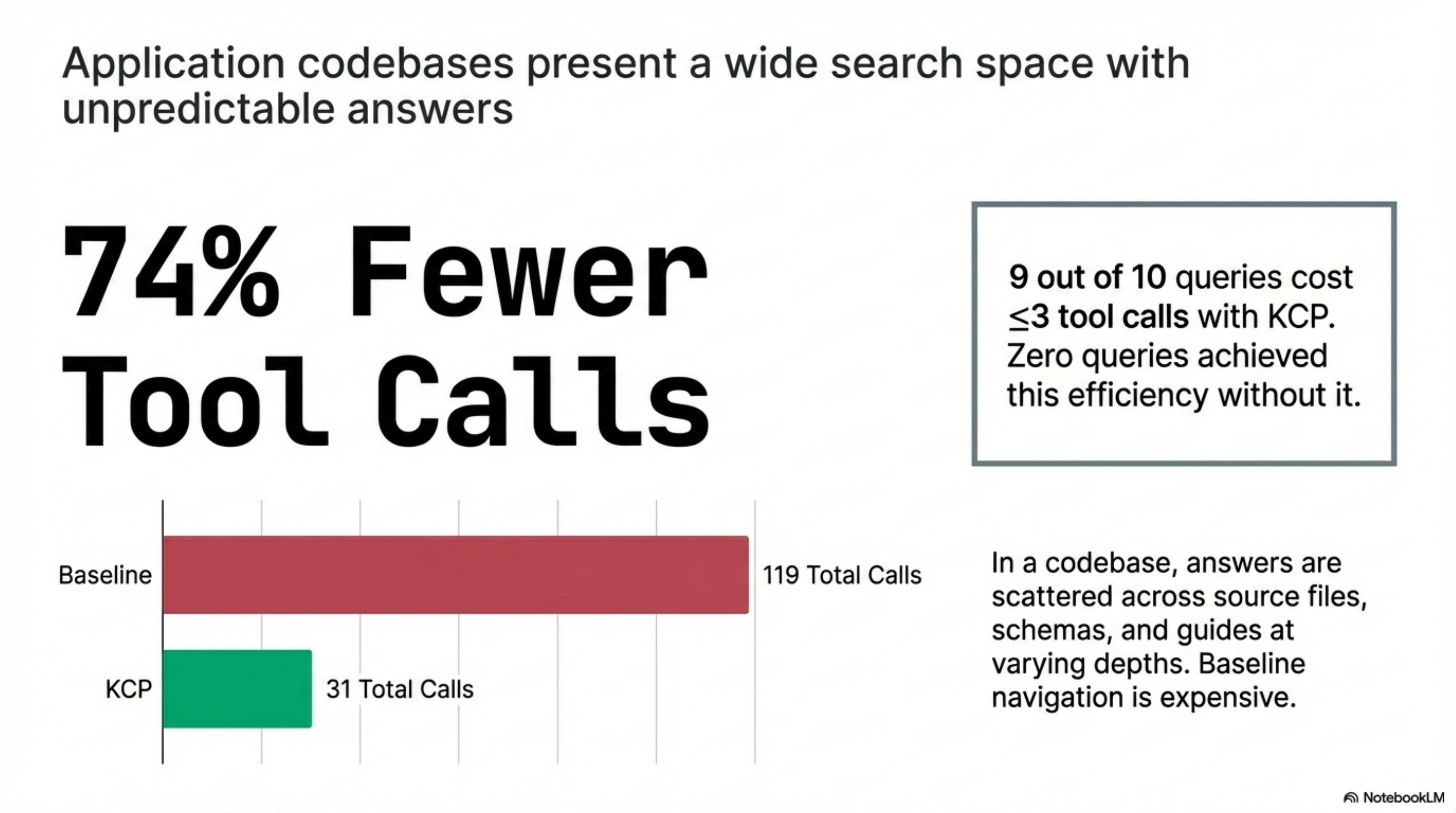
74% fewer tool calls. 9 of 10 queries cost ≤3 tool calls with KCP. Zero do without it.
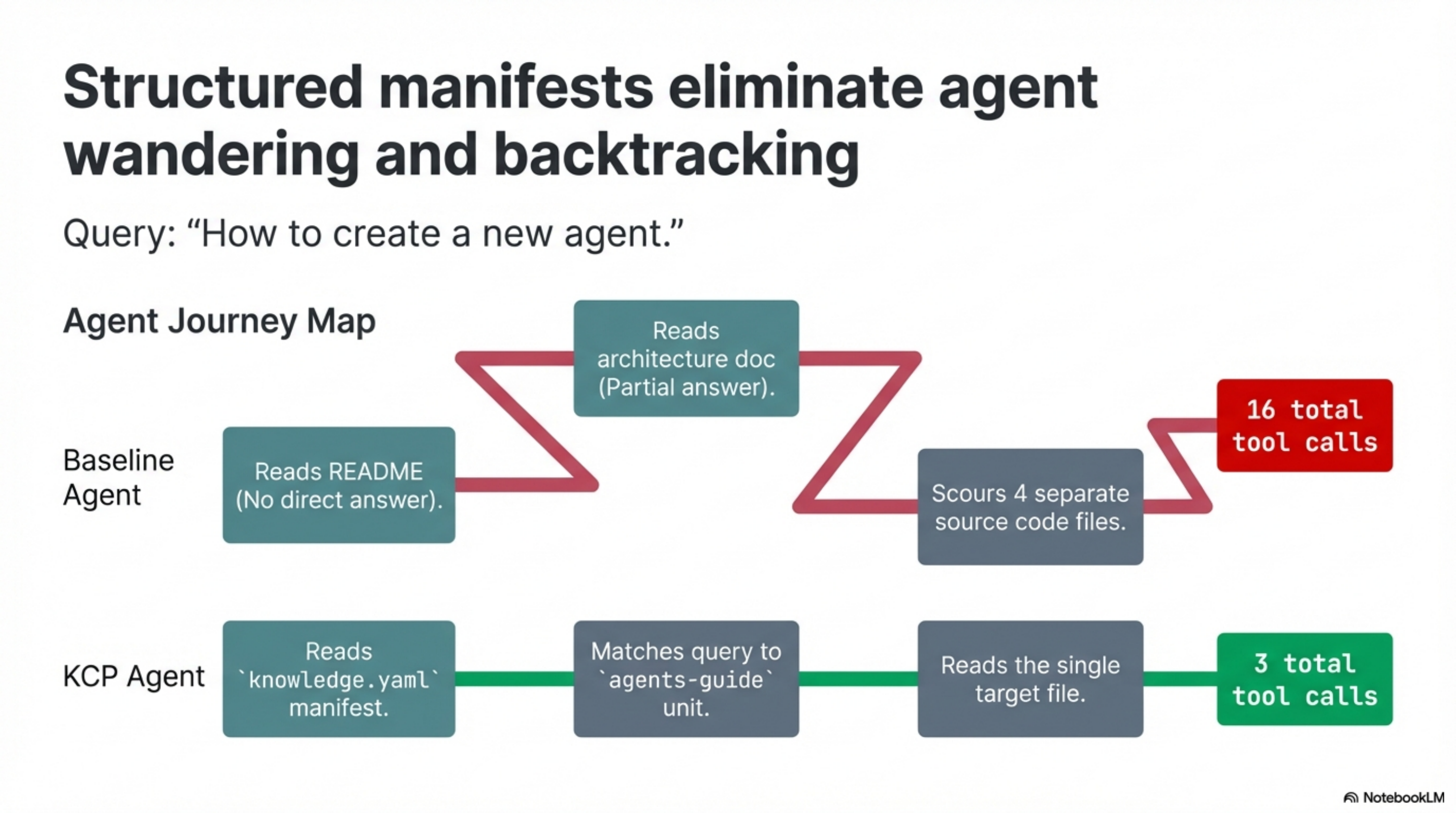
The expensive queries were the revealing ones. "How to create a new agent" cost 16 baseline tool calls — the agent read the README, found no direct answer, read the architecture doc, found a partial answer, then read four more files including source code to piece it together. The KCP agent read the manifest, matched the query to the agents-guide unit, and read one file: 3 tool calls total.
Q8 (icon library, 9 KCP calls) is the honest outlier. There is no dedicated icons unit in the manifest. The KCP agent correctly matched the nearest relevant unit and kept digging through source files. That is the right behaviour. It also tells you exactly where the manifest should grow next.
One baseline agent (Q1, architecture) organically found the TL;DR files without the manifest — 5 tool calls. The KCP agent found them in 2. The manifest makes routing reliable, not just occasionally faster.
Repo 2: Documentation repository (infrastructure agents guide)
18 units. 7 queries. Same model both rounds.
| Query | Baseline | KCP | Saved |
|---|---|---|---|
| Which LLM framework to use | 7 | 3 | 4 |
| How to sandbox agent execution | 8 | 4 | 4 |
| How credential management works | 7 | 4 | 3 |
| PR-based change control flow | 6 | 4 | 2 |
| What the autonomy tiers are | 6 | 3 | 3 |
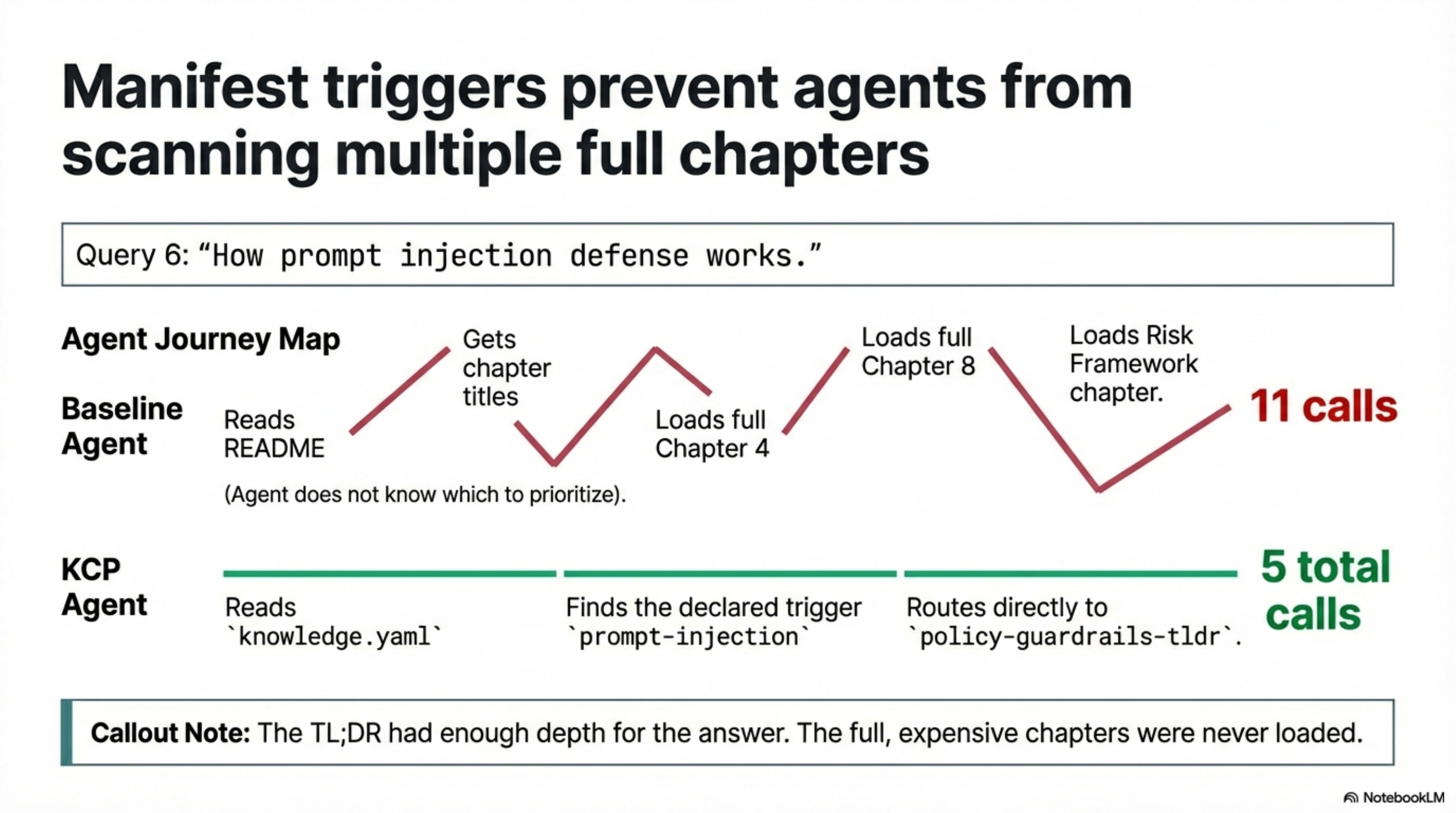
| How prompt injection defense works | 11 | 5 | 6 |
| Go-live checklists | 8 | 2 | 6 |
| Total | 53 | 25 | 28 |
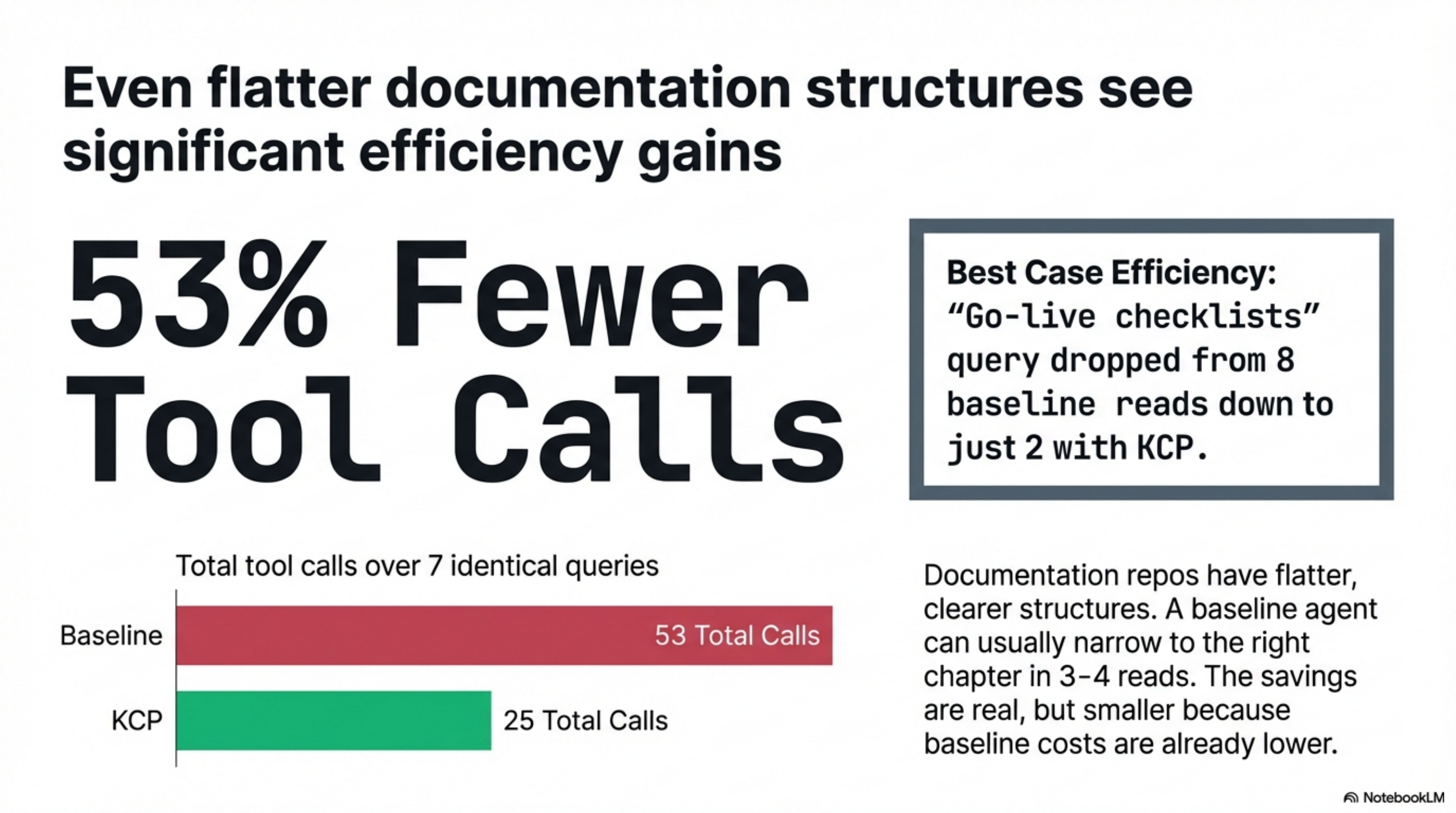
53% fewer tool calls. The best case — go-live checklists — went from 8 reads to 2.
The pattern without the manifest: agent reads the README, gets chapter titles, reads 2-3 chapters looking for the answer, sometimes backtracks. For a 13-chapter guide this is manageable but wasteful. For Q6 (prompt injection), 11 tool calls — the answer is distributed across chapter 4, chapter 8, and the risk framework chapter; the agent read all three without knowing which to prioritise.
With the manifest, the agent read knowledge.yaml and found the trigger: policy-guardrails-tldr has prompt-injection as a declared trigger. Two calls. The TL;DR had enough depth for the answer; the full chapter was never loaded.
The contrast is the point
The application codebase produced a 74% reduction. The documentation repository produced a 53% reduction. Both are meaningful. The difference makes sense.
In a code repository, answers are scattered across source files, schemas, and guide documents at different depths. The agent has no structural signal about what kind of file answers what kind of question. A query about "how to add a tool" could live in a guide, a type definition, an example, or the source itself. Baseline navigation is expensive because the search space is wide and the answer distribution is unpredictable.
In a documentation repository, the structure is flatter. Each chapter has a clear topic. A baseline agent can usually narrow to the right chapter in 3-4 reads if the README is well-organised. The savings are real but smaller because the baseline cost was lower to begin with.
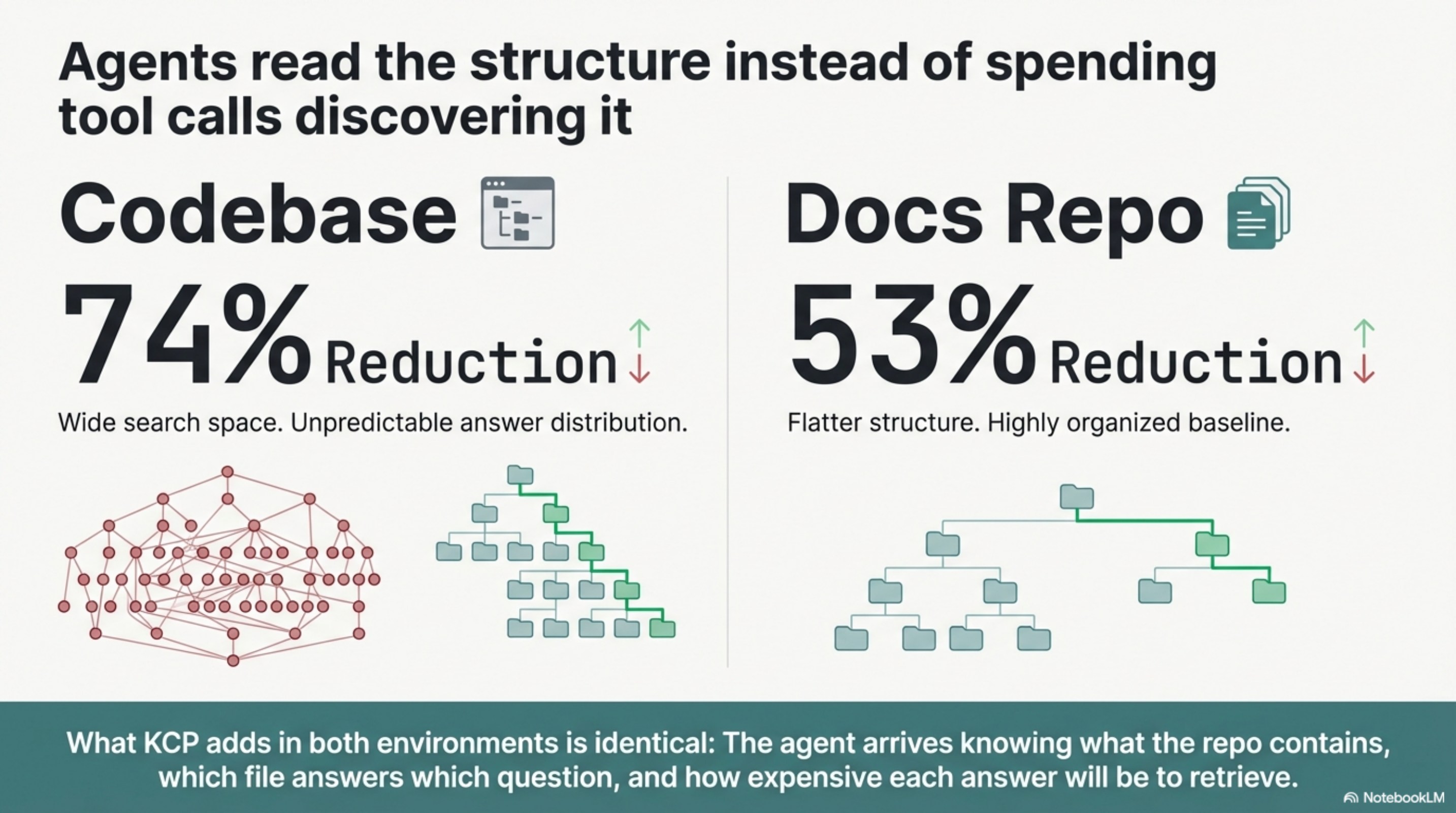
What KCP adds in both cases is the same thing: the agent arrives knowing what the repo contains, which file answers which question, and how expensive each answer will be to retrieve. It does not have to discover the structure; it reads the structure.
What the manifest actually adds to a docs repo
For the documentation repository, the highest-value addition was not the manifest routing — it was the four pre-built TL;DR files.
The 13 chapters total ~64,000 tokens. The TL;DRs for architecture, agent runtime, policy guardrails, and risk framework total ~2,200 tokens — about 3% of the full content. For 7 of the 7 queries, the TL;DR was either sufficient or pointed the agent to exactly the right chapter without reading the others.
The manifest told agents the TL;DRs existed. Without the manifest, even if the TL;DR files exist in docs/, agents have no reason to prefer them over the full chapter. KCP makes them the first destination, not an incidental discovery.
Limitations and what the numbers do not show
These are same-session benchmarks using a single model at a single point in time. Real retrieval patterns vary with query phrasing, model behaviour, and prompt context. The numbers are directional, not universal.
Token estimates for the application codebase (~63K baseline, ~34K KCP) come from the token_estimate fields in the manifest, not from actual context measurements. The tool-use counts are authoritative; the token counts are approximate.
Neither benchmark tests answer quality. Both sets of agents produced correct answers. The benchmark measures navigation cost only — how many reads it took to find the right content. The content retrieved was the same.
What comes next
Both repositories are public. The manifests, TL;DR files, and benchmarks are in the repos.
Repo 2 is Cloudgeni-ai/infrastructure-agents-guide by Davlet Dzhakishev — a 13-chapter production guide for building safe infrastructure agents. The KCP manifest and TL;DR files are in the fork at totto/infrastructure-agents-guide. Thanks to Davlet for allowing the benchmark to be published.
Repo 1 will be linked when consent is confirmed.
The KCP specification is at github.com/cantara/knowledge-context-protocol. The two experiments here represent two different repository types — application code and pure documentation — and the results suggest the pattern generalises.
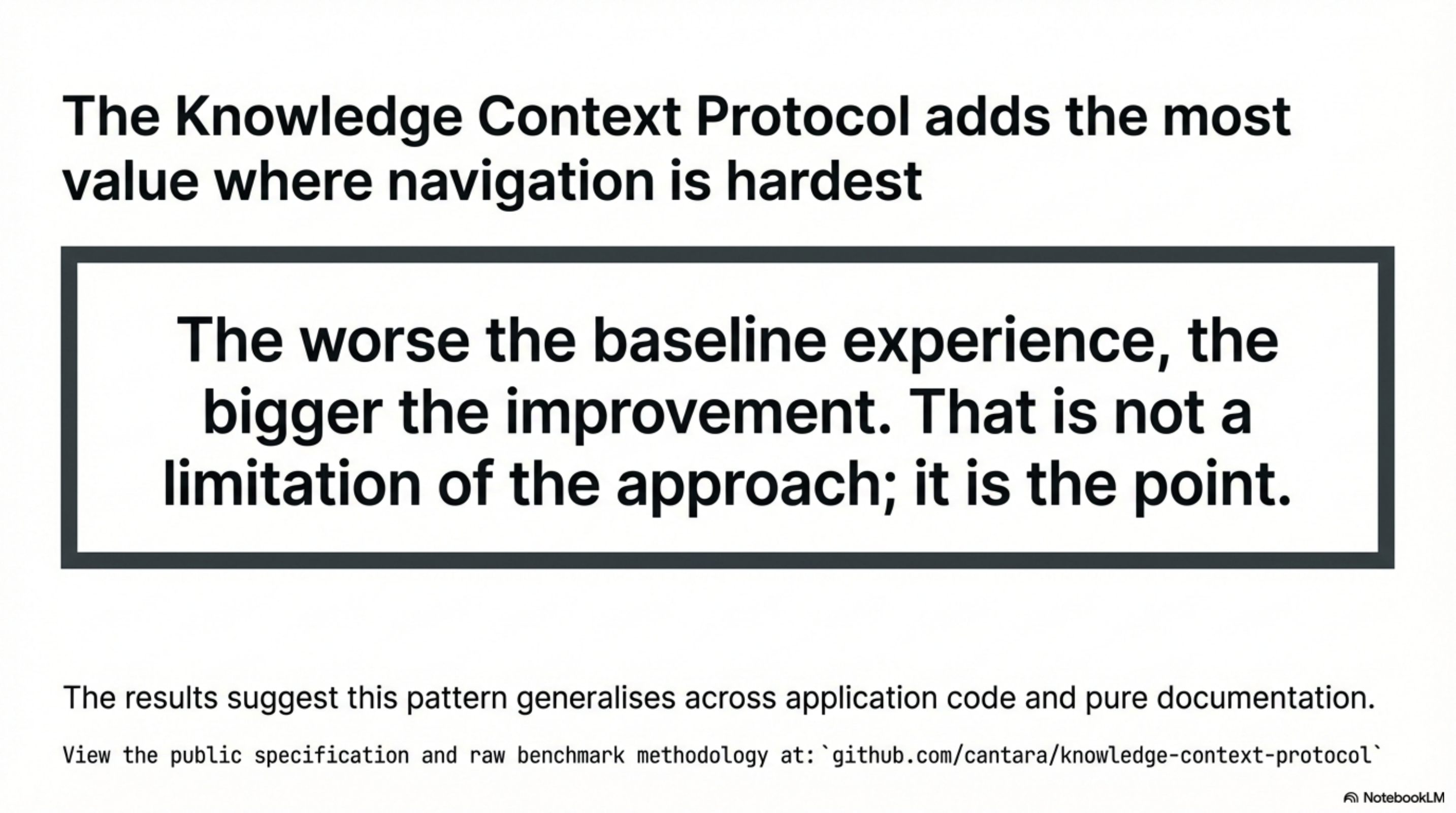
Repo 1 will be named when consent is confirmed. Methodology and raw benchmark numbers are in the BENCHMARK.md files in each repository.
This post is part of the Knowledge Context Protocol series. Previous: Add knowledge.yaml to Your Project in Five Minutes Next: KCP on Three Agent Frameworks: Same Pattern, Bigger Numbers
Series: Knowledge Context Protocol
← KCP on Three Agent Frameworks: Same Pattern, Bigger Numbers · Part 12 of 24 · KCP v0.1 to v0.5: How a Knowledge Standard Grows →