The KCP Ecosystem: How Five Tools Turn Claude Code Into a Persistent Intelligence Platform
The Problem
Every session with Claude Code starts from zero.
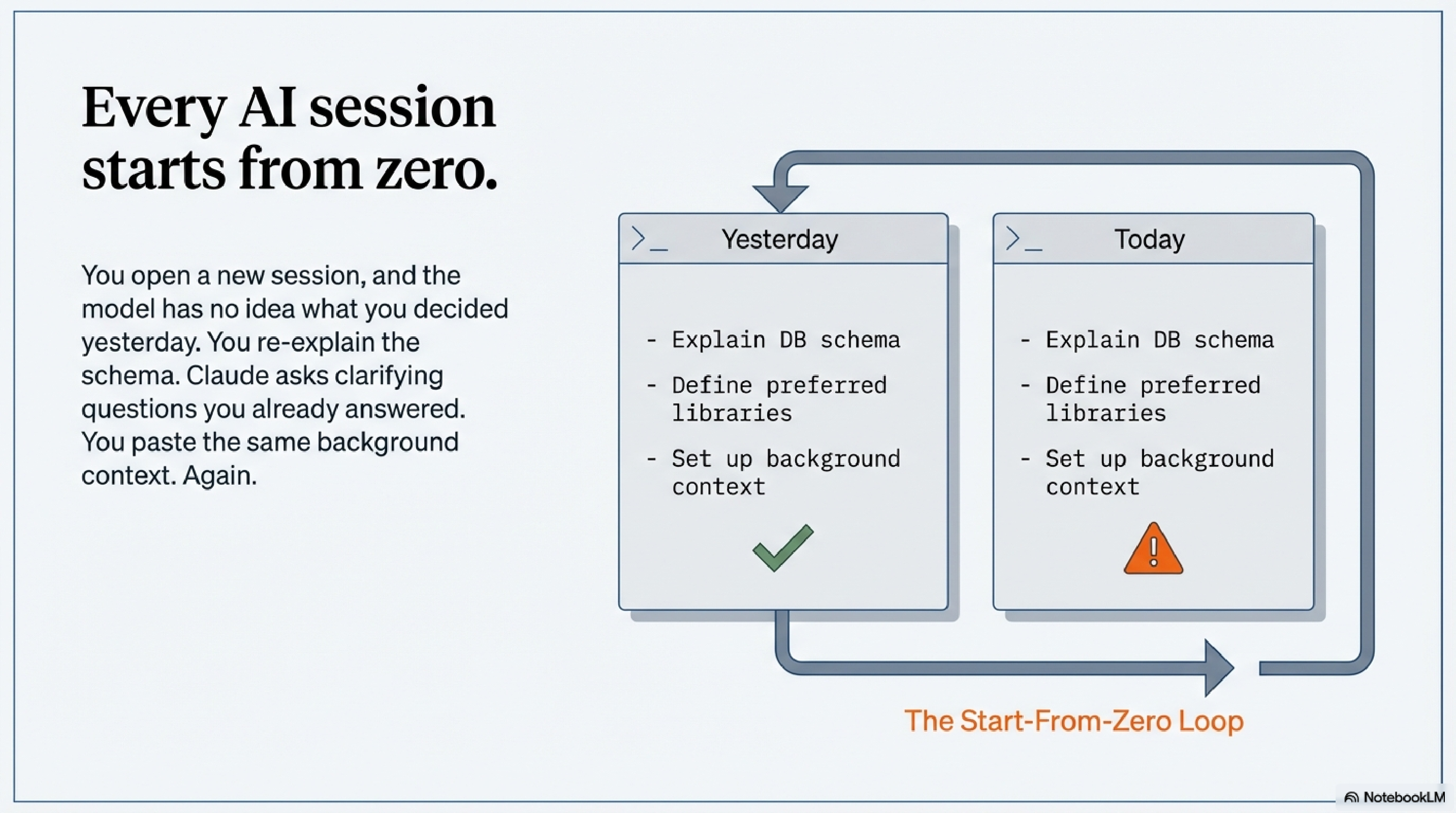
You open a new session, and the model has no idea what you were doing yesterday. Which services are running. What you decided about the database schema last Thursday. Why you chose the library you chose. You re-explain it. Claude asks clarifying questions you answered two sessions ago. You paste the same background context you always paste. Then the work begins.
And when the work does begin, there's a different problem: output flooding the context window. Run mvn package and you get 400 lines of Maven lifecycle noise. Run terraform plan and the diff buries the actual changes in scaffolding. Run kubectl get pods cluster-wide and you've spent 8,000 tokens on status rows you didn't need.
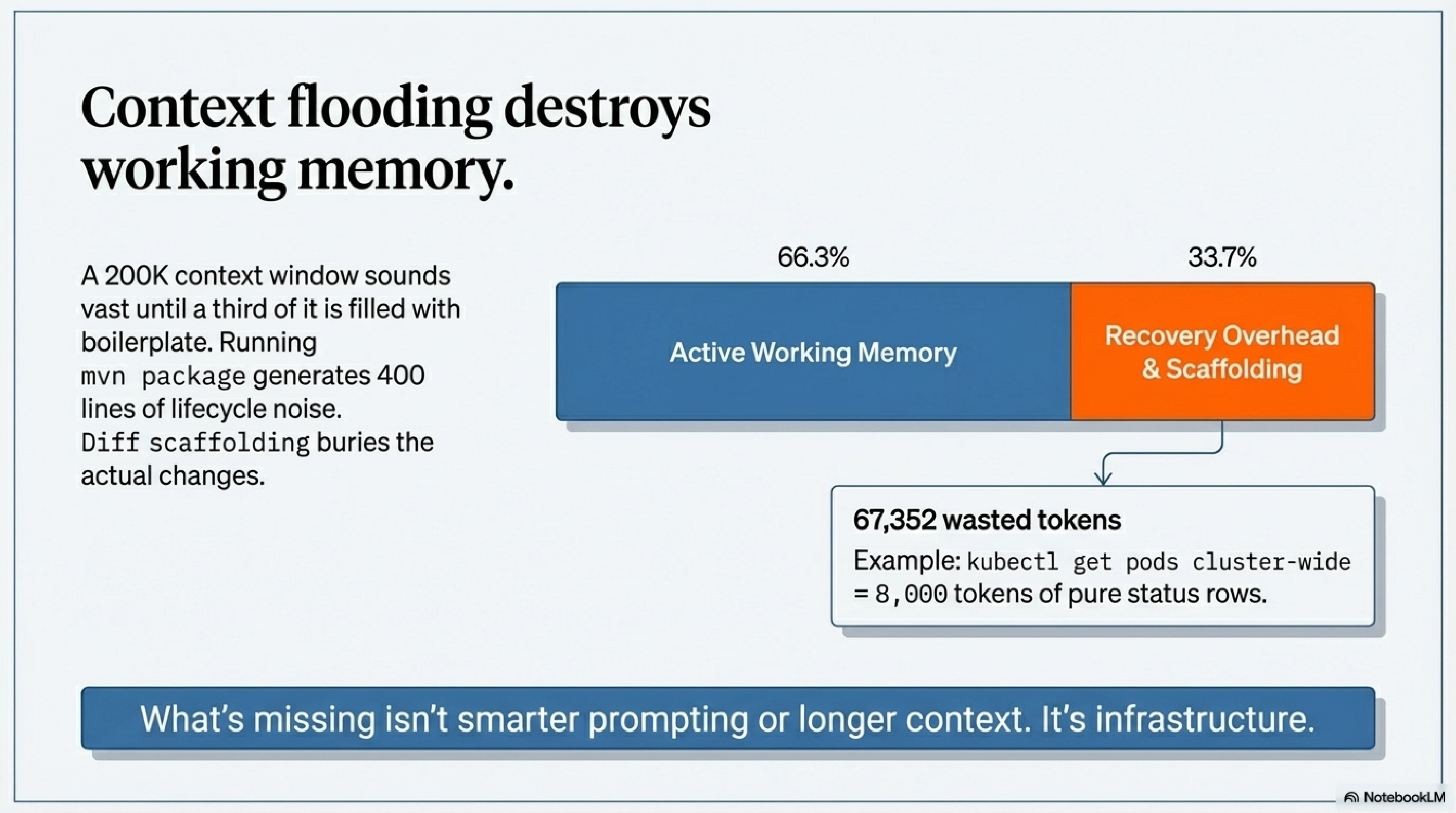
The context window is your working memory. Filling it with boilerplate and re-explaining the same setup repeatedly is waste — not just inconvenient, but structurally limiting. A 200K token context sounds vast until a third of it is recovery overhead.
What's missing is infrastructure. Not smarter prompting. Not longer context. Infrastructure — a persistent layer that handles memory, filters noise, and gives the model the right knowledge at the right moment without you having to manage it manually.
That infrastructure is KCP.
KCP: The Missing Infrastructure Layer
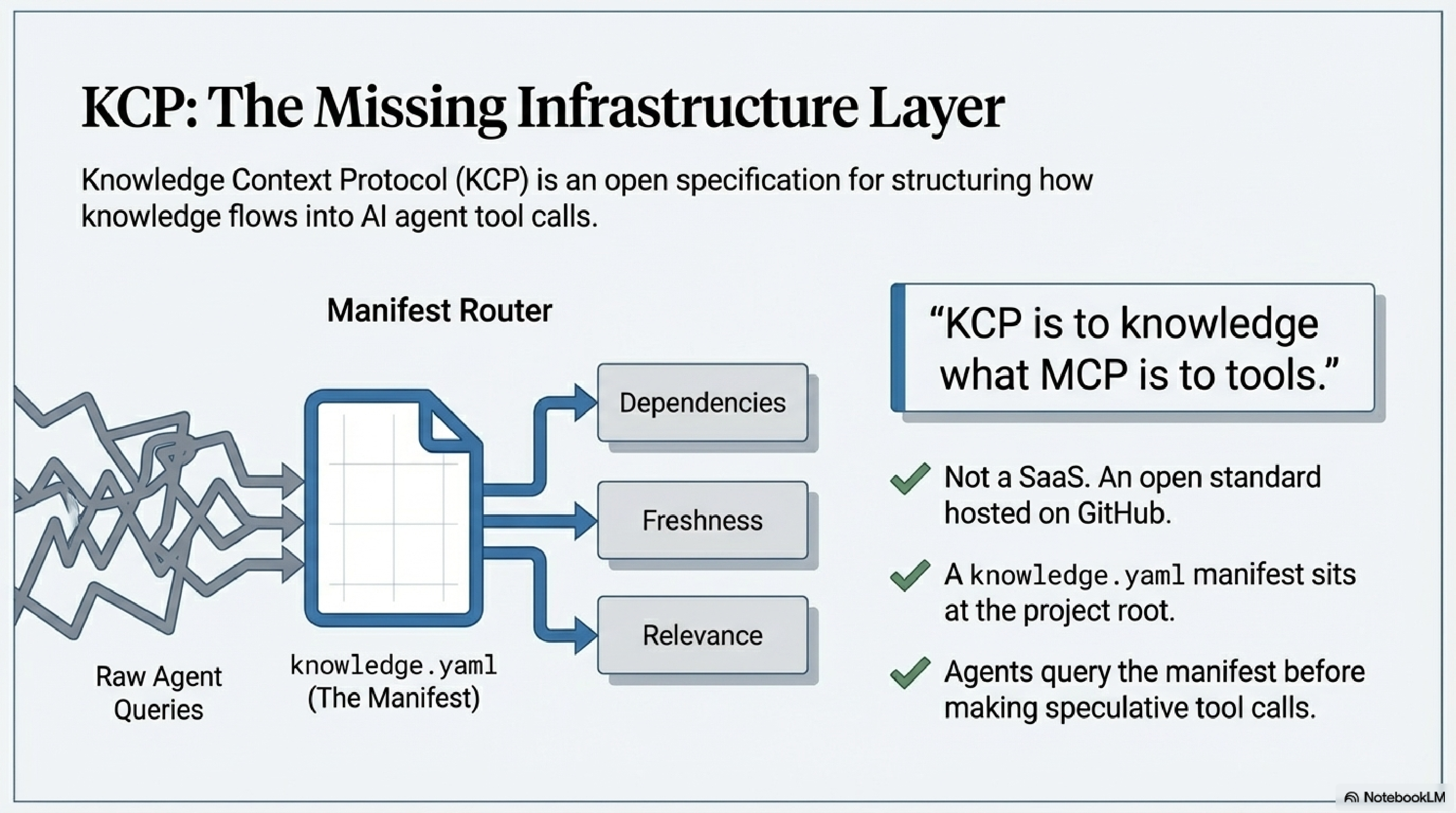
KCP stands for Knowledge Context Protocol. It is an open specification — not a product, not a SaaS, not a platform — for structuring how knowledge flows into AI agent tool calls.
The analogy that holds: KCP is to knowledge what MCP is to tools. The Model Context Protocol defines how agents connect to capabilities. KCP defines how structured, navigable knowledge is attached to those connections — before the agent has to go looking for it.
At the core is a knowledge.yaml manifest file you drop at the root of any project. The manifest describes what knowledge exists, what each piece answers, how the pieces relate to each other, and how fresh each one is. An agent equipped with a KCP manifest can query it before making tool calls, rather than loading everything speculatively or stumbling through the project blind.
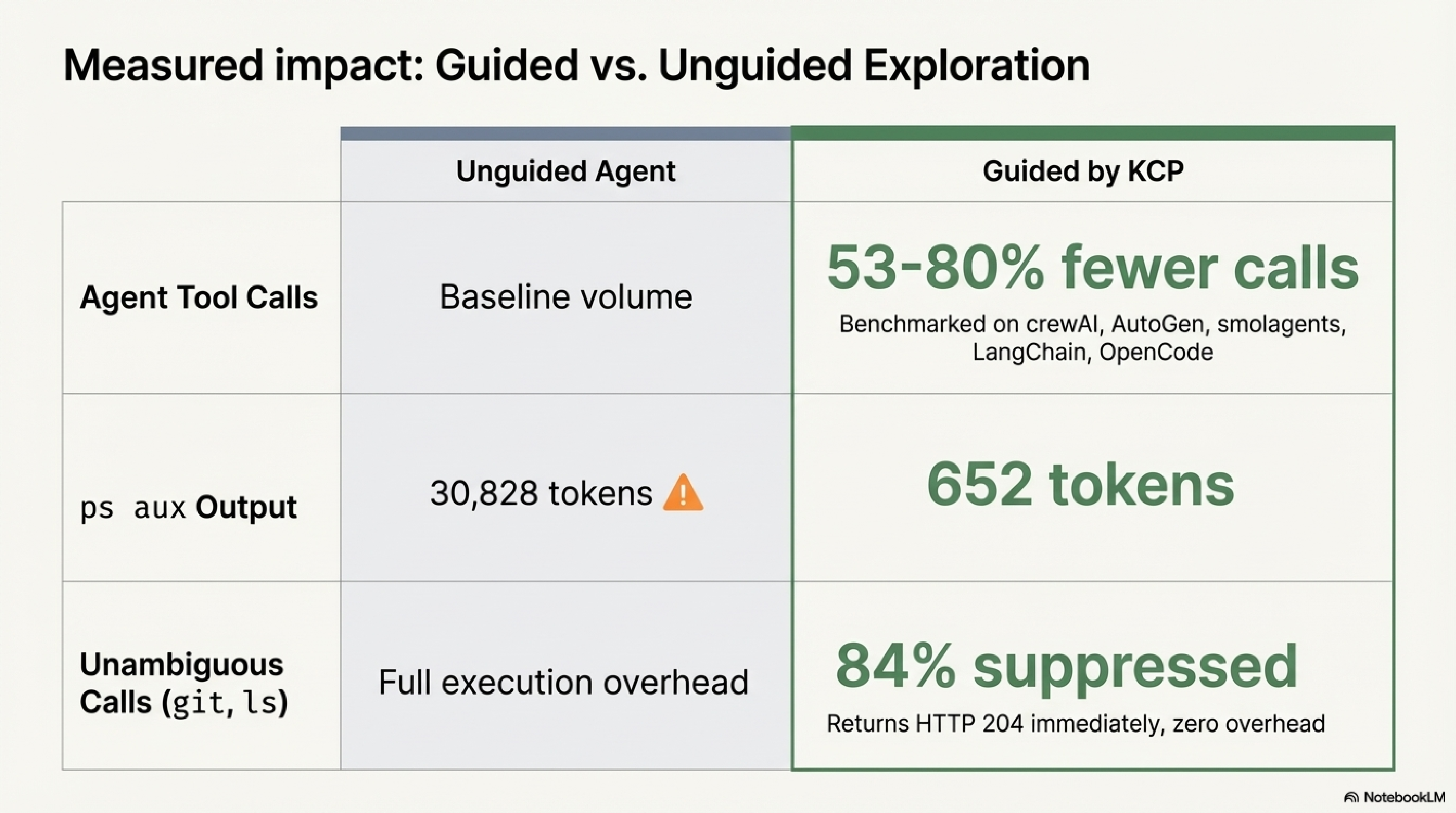
The spec is open, hosted on GitHub under the Cantara organisation, and validated in production. Independent benchmarks across five AI frameworks (crewAI, AutoGen, smolagents, LangChain, OpenCode) show 53–80% fewer agent tool calls in guided versus unguided exploration. That is not a marketing claim — it is a measured result from running the same tasks both ways.
The ecosystem around the spec consists of five tools. Each one solves a distinct part of the problem.
The Five Tools
kcp-commands: The Bash Hook That Pays for Itself in the First Session
kcp-commands is not a CLI. That distinction matters. It is a Claude Code hook — a process that runs invisibly around every Bash tool call in your session and applies intelligence at the boundary.
It ships with 291 YAML manifests covering the tools developers actually use: git, mvn, docker, kubectl, terraform, ansible, ps, find, curl, and hundreds more. Each manifest encodes what --help doesn't tell you: when to use this command, which flags are idiomatic for which situations, and what common errors to watch out for.
The hook operates in three phases on every command:
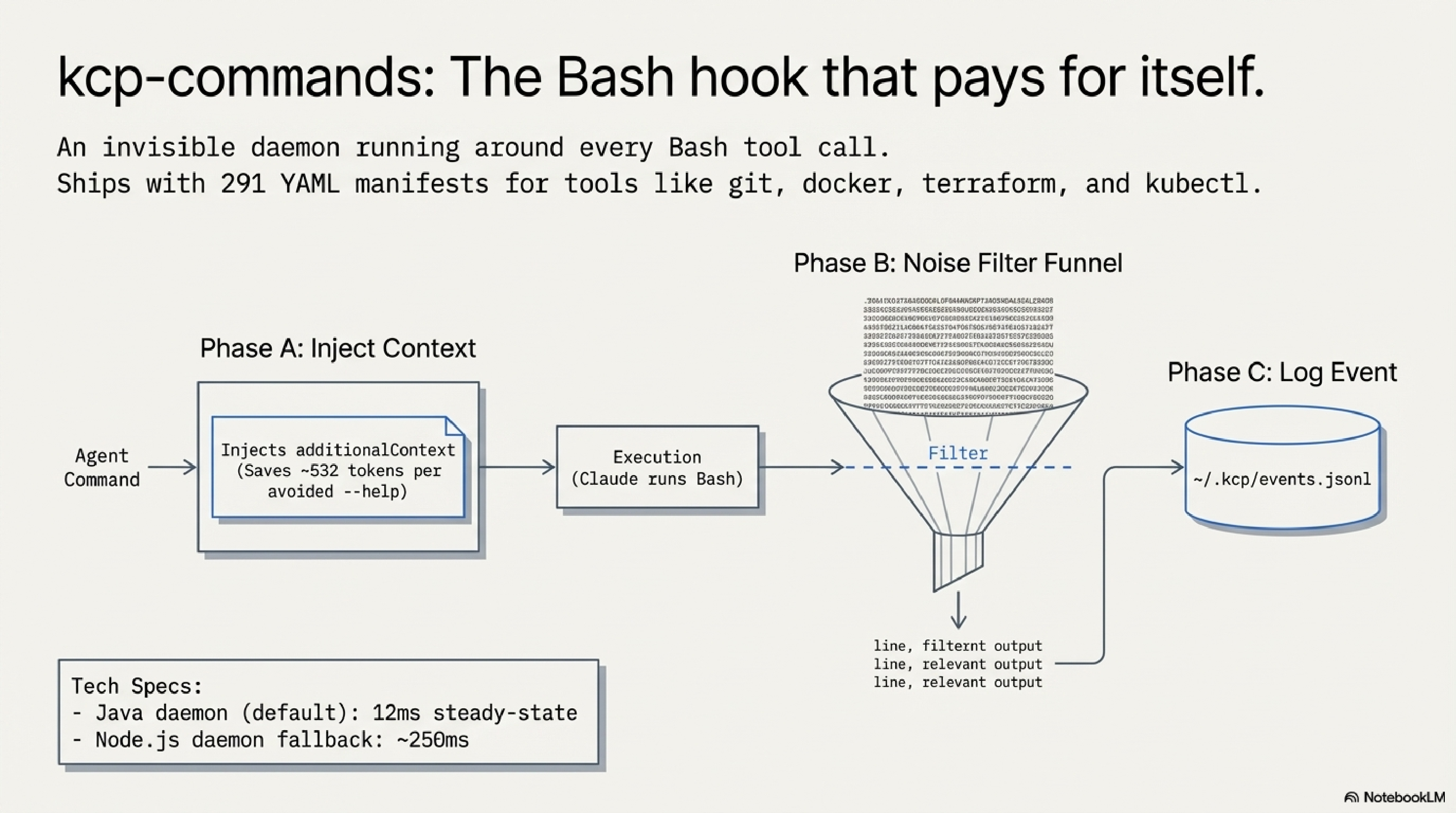
Phase A — Proactive guidance (before execution). When Claude is about to run a command, kcp-commands injects a compact additionalContext block with use-case flags and preferred invocations. Instead of Claude running ps --help first and parsing the output, it already has the signal it needs. That is roughly 532 tokens saved per avoided --help call.
Phase B — Output noise filtering (after execution). Commands like mvn, terraform, and kubectl produce enormous outputs. Phase B applies per-command output filters defined in the same YAML manifests. For mvn, the filter strips lifecycle boilerplate and keeps compiler errors, test failures, and the final build status. For terraform plan, it keeps resource changes and drops the unchanged infrastructure noise. The filters are explicit, readable, and configurable — if a filter is dropping something you care about, you can edit the manifest or disable filtering for that command entirely. ps aux output drops from 30,828 tokens to 652 tokens in the benchmark; the kept portion is the process list, not a summary of it.
Phase C — Event logging (after execution). Every Bash call gets written to ~/.kcp/events.jsonl — command name, arguments, project directory, session ID, and timestamp. kcp-memory picks this up on its next scan and indexes it alongside the session transcripts. This is what makes kcp-memory events search "kubectl apply" work: the event log is the bridge between real-time command execution and episodic memory.
For most everyday commands, kcp-commands does nothing at all. When Claude runs git status, ls, or grep, the daemon recognises these as commands where injecting guidance would be noise, not signal — it responds with an empty "no action needed" reply and the command runs normally with zero overhead. This pass-through covers approximately 84% of Bash calls in benchmarks. The remaining 16% — commands like mvn, kubectl, terraform, docker — are where the guidance and filtering actually run. Token savings figures in the benchmarks are from controlled simulations and should be treated as indicative rather than precise; real-world results vary by project and workflow.
The daemon runs as a background process with two backend implementations: Java (12ms per call at steady state) and Node.js (approximately 250ms). The Java daemon is the recommended default.
kcp-memory: Episodic Memory Across Sessions
If kcp-commands is the real-time layer, kcp-memory is the historical layer. It indexes your session transcripts and tool-call events into a local SQLite database with full-text search, and makes that history queryable — from the CLI, from an HTTP API, and from inside Claude sessions as an MCP server.
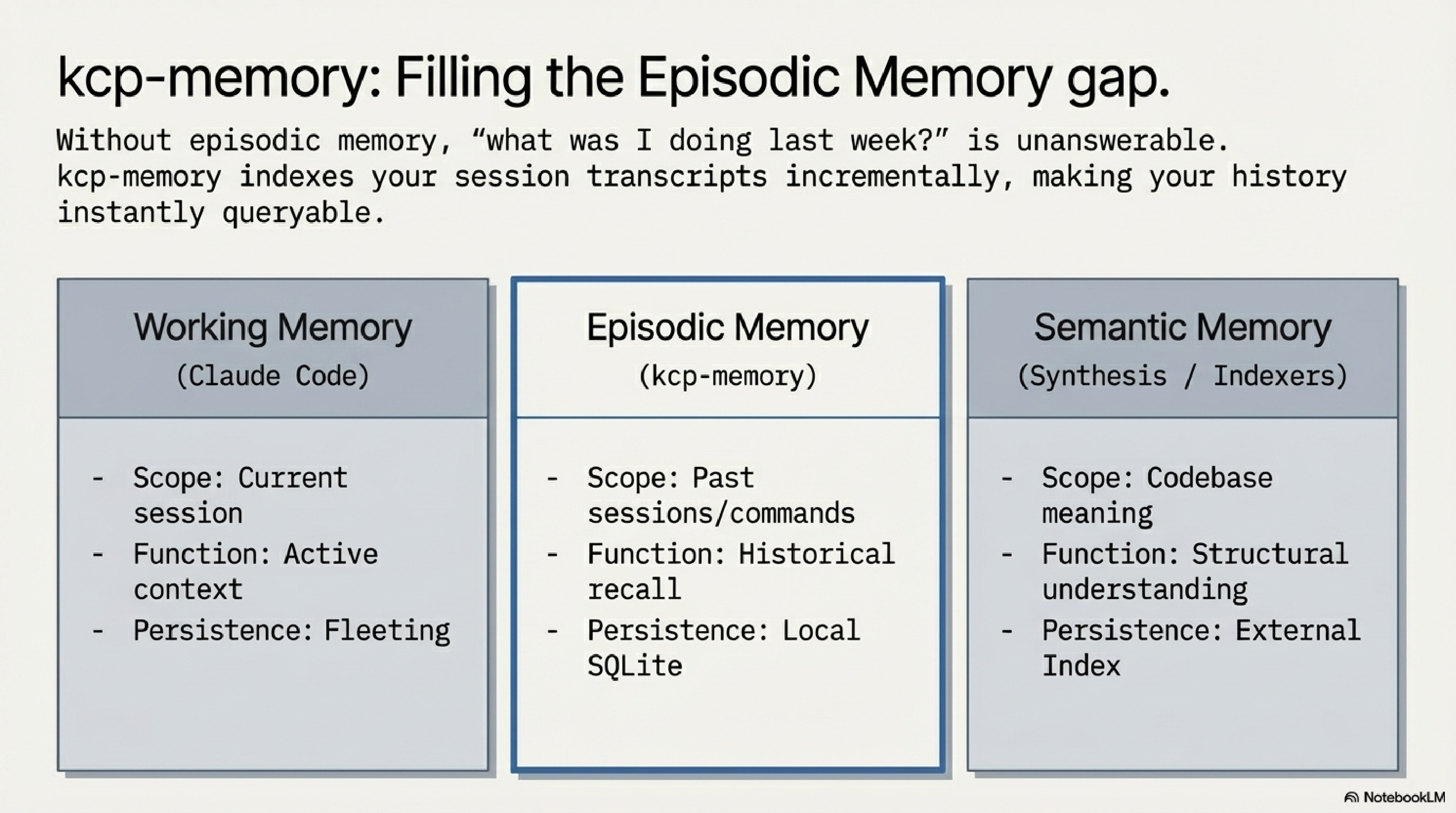
The model distinguishes this cleanly from the other two memory types developers already have:
- Working memory: the current context window (Claude Code handles this)
- Episodic memory: what happened in past sessions (kcp-memory)
- Semantic memory: what the codebase means (Synthesis, or similar tooling)
kcp-memory fills the middle layer. Without it, "what was I doing in this project last week?" is unanswerable in the session. With it, you run kcp-memory search "OAuth implementation" and get the relevant sessions back in milliseconds.
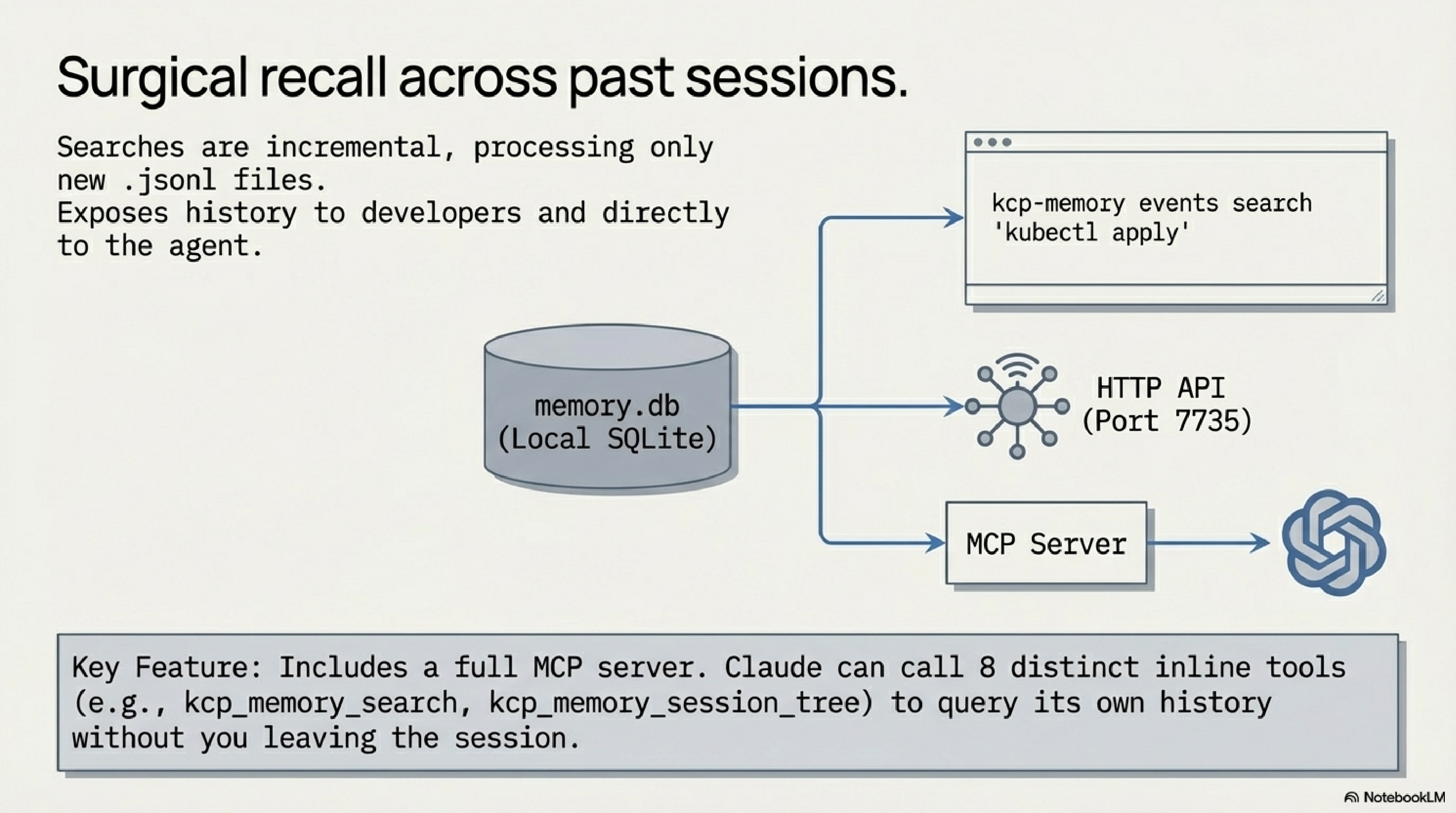
kcp-memory reads two sources: the .jsonl session transcript files Claude Code writes to ~/.claude/projects/, and the ~/.kcp/events.jsonl event log produced by kcp-commands. It indexes both into a local SQLite database. Indexing is incremental — on each scan, only new or changed transcripts are processed, so re-scanning a large project history is fast. The tool also supports Gemini CLI and Codex CLI transcripts.
The events search is the more surgical interface: kcp-memory events search "kubectl apply" returns every time Claude ran that command, with project directory, session ID, and timestamp. Useful for debugging deployment patterns or understanding what actually happened in a long session.
From v0.3.0, kcp-memory exposes a full MCP server with eight tools: kcp_memory_search, kcp_memory_events_search, kcp_memory_list, kcp_memory_stats, kcp_memory_session_detail, kcp_memory_project_context, and from v0.5.0, kcp_memory_subagent_search and kcp_memory_session_tree. When registered in ~/.claude.json, Claude can call these inline during a session — asking about its own history without leaving the tool.
The HTTP API runs on port 7735 for anything that wants to query memory programmatically.
kcp-dashboard: Live Context Health at a Glance
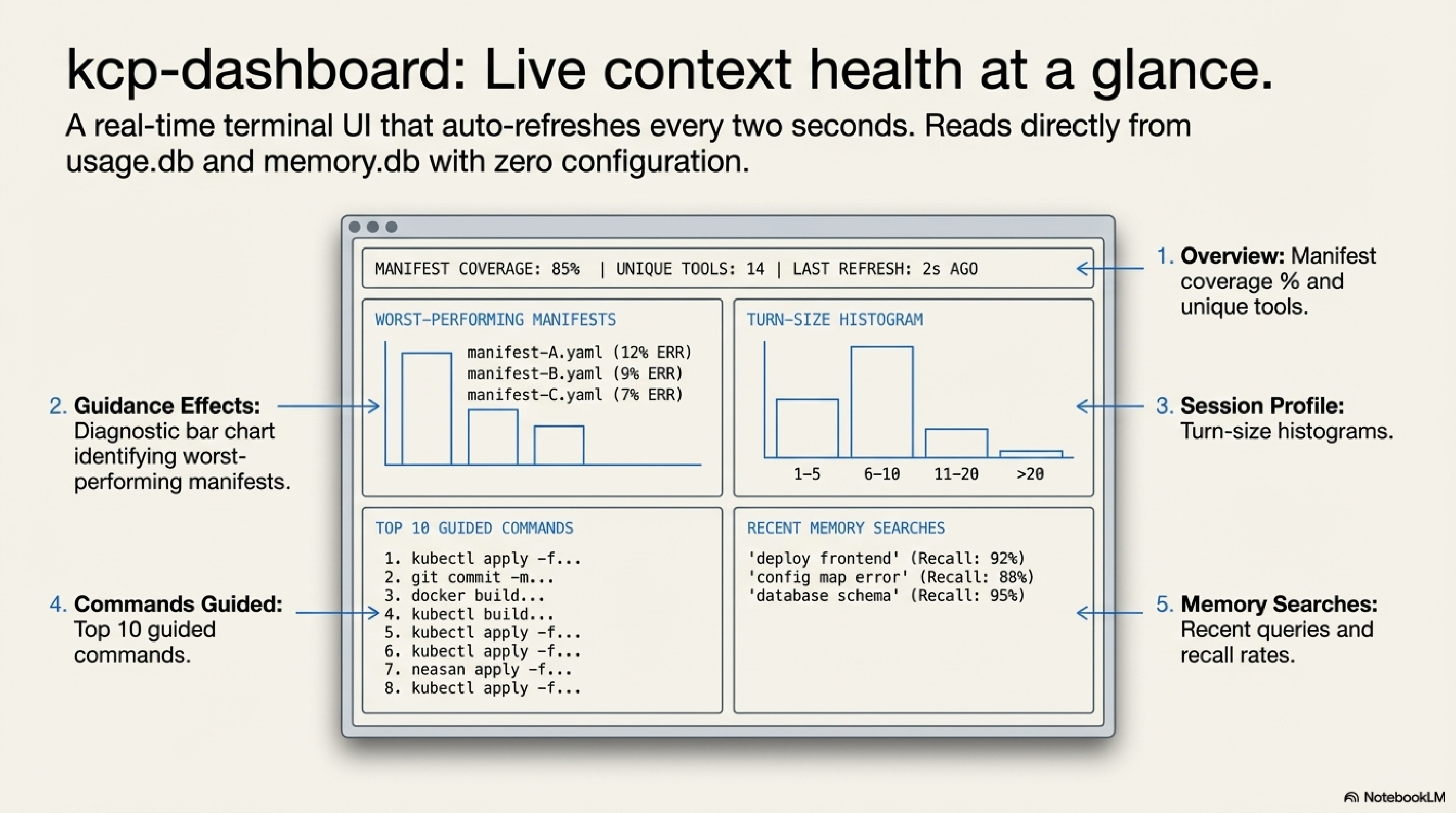
kcp-dashboard is a terminal UI — built in Go with Bubble Tea and Lip Gloss — that reads from the shared ~/.kcp/ data directory and shows you the state of your KCP setup in real time. It auto-refreshes every two seconds.
The dashboard has five panels:
Overview (pinned at top). A summary across kcp-commands (commands guided, unique tools, tokens of context delivered, manifest coverage percentage) and kcp-memory (sessions indexed, projects tracked, search recall rate), plus a list of your active project directories.
Guidance Effects (scrollable). This is the diagnostic panel. It shows manifest coverage as a bar chart alongside the filtered retry rate and the help-followup rate (how often --help was run within five minutes after an inject). A quality alerts section shows the top five worst-performing manifests by composite score. If a manifest is causing confusion rather than reducing it, this panel will surface it.
Session Profile (scrollable). Session counts, average turns, average tool calls, and a five-bucket size histogram (1–5, 6–20, 21–50, 51–100, 100+ turns).
Commands Guided (scrollable). A bar chart of the top ten most-guided commands with inject counts.
Memory Searches (scrollable). Recent kcp-memory queries with timestamps and result counts, plus the recall rate.
No configuration required — if kcp-commands and kcp-memory are installed and have been running, the dashboard works immediately.
# Install on Linux (amd64)
curl -fsSL https://github.com/Cantara/kcp-dashboard/releases/latest/download/kcp-dashboard-linux-amd64 \
  -o ~/.local/bin/kcp-dashboard && chmod +x ~/.local/bin/kcp-dashboard
kcp-dashboard
kcp-triage: Security Triage on Top of KCP Manifests
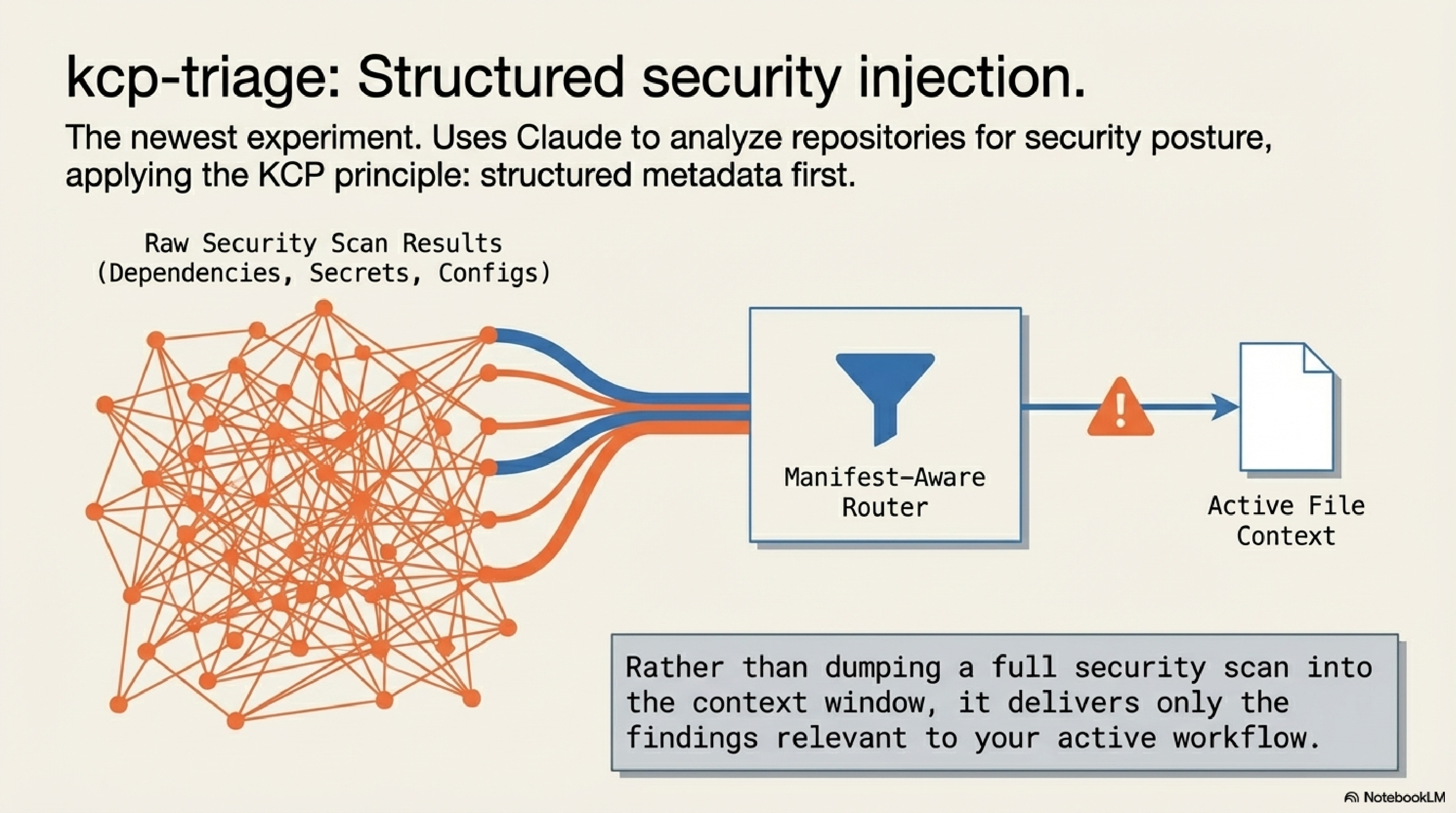
kcp-triage is the newest and most specialised tool in the ecosystem. It uses Claude to analyse repositories and websites for security posture — checking dependency hygiene, configuration exposure, secrets in public paths, and similar concerns — and surfaces results through the KCP manifest model.
The design principle is the same as the rest of the ecosystem: structured metadata first, then targeted analysis. Rather than dumping a full scan at the context window, kcp-triage uses manifest-aware routing to deliver the findings that are relevant to what you are actually working on.
The tool is earlier in maturity than kcp-commands or kcp-memory, and the manifest coverage for security-specific tooling is still growing. Think of it as the ecosystem's experiment in applying the same pattern to a new domain — structured knowledge injection, but for security workflows rather than developer workflows.
kcp: The Spec Itself
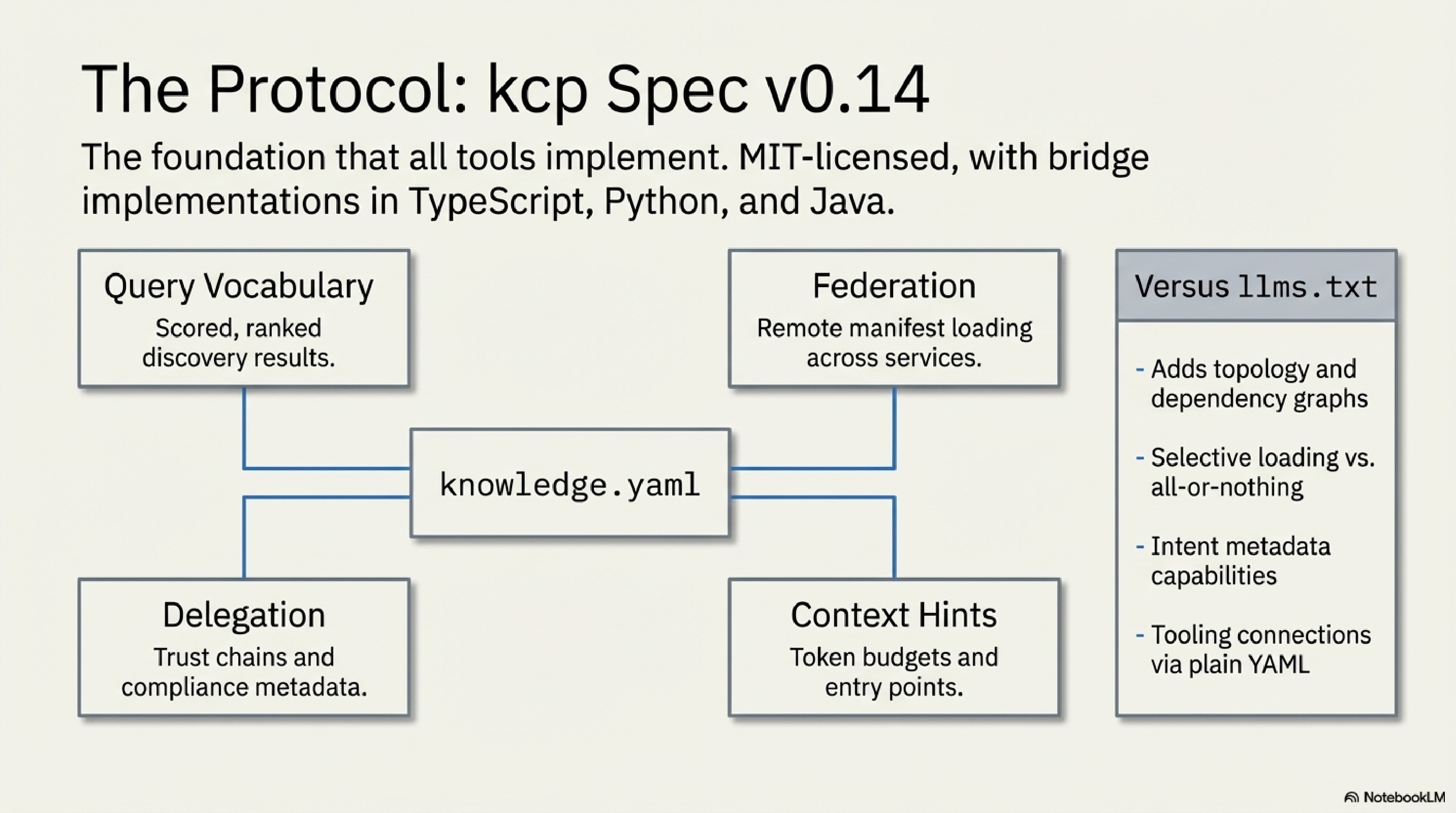
The fifth component is not a tool — it is the foundation the other four implement. The knowledge-context-protocol repository on GitHub under the Cantara organisation hosts the spec, the validator parsers, and the bridge implementations.
The current spec is at v0.14. Key capabilities:
- Query vocabulary: scored, ranked discovery with trigger matching, intent matching, and dependency-aware ordering. Agents can ask "what documents answer this question?" and get a ranked list back.
- Federation: remote manifest loading across multiple repositories.
- Delegation and compliance metadata (v0.7+): agent-to-agent trust chains, data residency requirements, sensitivity levels, audit requirements.
- Context window hints: estimated token budgets per unit, recommended entry points, summary availability flags.
Bridge implementations exist in TypeScript, Python, and Java. The spec is explicitly designed to address the structural limitations of llms.txt — no topology, no selective loading, no intent metadata, no tooling connection. KCP solves all six of those gaps with a plain YAML file any developer can author.
How They Wire Together
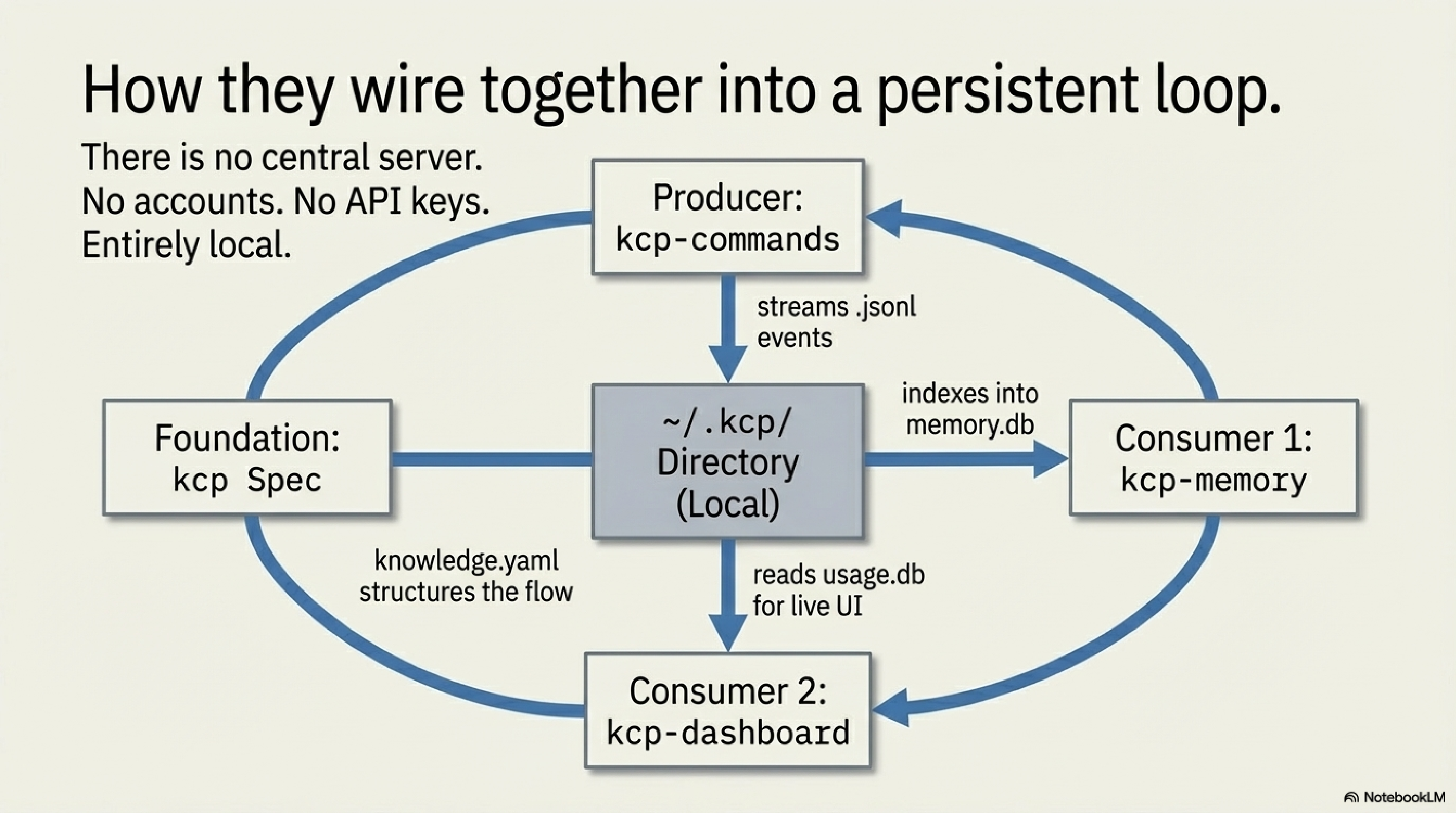
The data flow is straightforward once you see it:
Claude Code plans a Bash command
        │
        ▼
kcp-commands hook intercepts (PreToolUse)
        │
        ├─ Phase A: injects guidance into additionalContext
        │
        ▼
Bash command executes
        │
        ▼
kcp-commands hook runs again (PostToolUse)
        │
        ├─ Phase B: filters output noise before returning to context
        ├─ Phase C: writes event to ~/.kcp/events.jsonl
        │
        ▼
kcp-memory daemon indexes events.jsonl + session transcripts
        │
        ├─ SQLite FTS5 database at ~/.kcp/memory.db
        ├─ CLI: kcp-memory search / events search / stats
        └─ MCP server: 8 tools available to Claude inline
        │
        ▼
kcp-dashboard reads ~/.kcp/usage.db + memory.db
        │
        └─ Live TUI: token savings, guidance quality, session history
Every component reads and writes to ~/.kcp/. There is no central server, no accounts, no API keys. Everything is local. kcp-commands produces the event stream; kcp-memory consumes it; kcp-dashboard visualises the aggregate. The KCP spec gives the manifest format its shared structure across all of them.
Install in 30 Seconds
The entry point is kcp-commands, since it produces the event log everything else reads.
# Java daemon (recommended — 12ms/call, requires Java 21):
curl -fsSL https://raw.githubusercontent.com/Cantara/kcp-commands/main/bin/install.sh | bash -s -- --java

# Node.js (no JVM required):
curl -fsSL https://raw.githubusercontent.com/Cantara/kcp-commands/main/bin/install.sh | bash -s -- --node
Restart Claude Code. The hook activates automatically. Verify:
Then episodic memory:
curl -fsSL https://raw.githubusercontent.com/Cantara/kcp-memory/main/bin/install.sh | bash
kcp-memory scan   # indexes existing session transcripts
kcp-memory stats
And the dashboard:
curl -fsSL https://github.com/Cantara/kcp-dashboard/releases/latest/download/kcp-dashboard-linux-amd64 \
  -o ~/.local/bin/kcp-dashboard && chmod +x ~/.local/bin/kcp-dashboard
kcp-dashboard
Common Gotchas
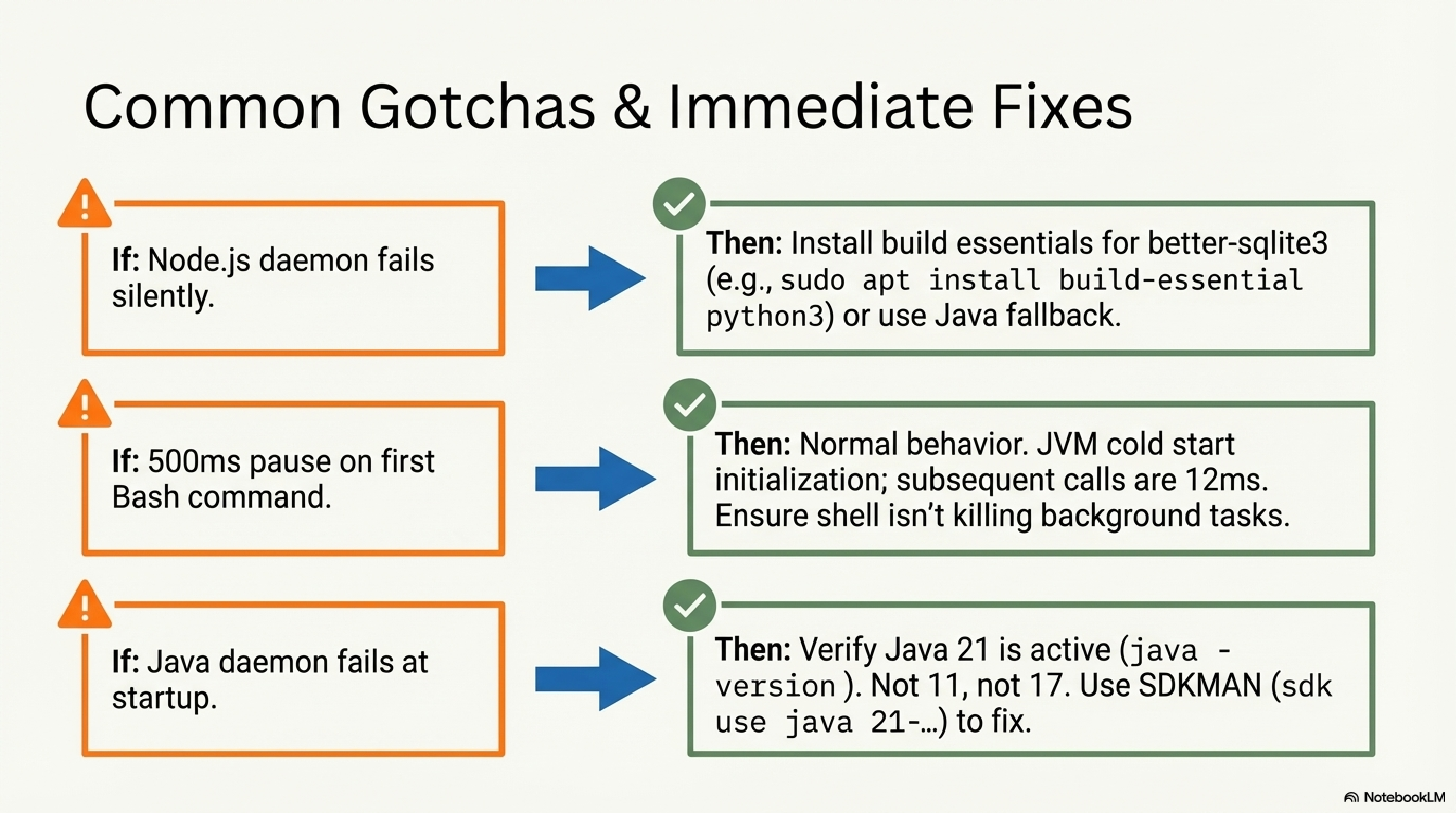
better-sqlite3 requires a build environment. The kcp stats command depends on better-sqlite3, which compiles native bindings through node-gyp. On a minimal system this fails silently. Fix: sudo apt install build-essential python3 (Ubuntu/Debian) or xcode-select --install (macOS), then re-run the installer. Alternatively, use the Java daemon which has no native compilation dependency.
JVM cold start. The Java daemon takes approximately 500ms on its first call as the JVM initialises. Subsequent calls run at 12ms. This is normal behaviour — it will not recur until the daemon restarts.
Java 21 is required. Not 17. Not 11. Verify with java -version. On macOS: brew install --cask temurin@21. Using SDKMAN: sdk use java 21-tem.
What's Next
kcp-commands is the most mature component and manifest count continues to grow as the community adds coverage for more specialised tools.
kcp-memory's MCP server integration is the active development front — making episodic memory available directly inside sessions without leaving the tool, and supporting subagent search patterns for more complex agentic workflows.
kcp-triage is the ecosystem's current experiment: applying the same structured-injection model to security workflows. Earlier in development than the other tools — the right place to watch if you work in security-adjacent contexts.
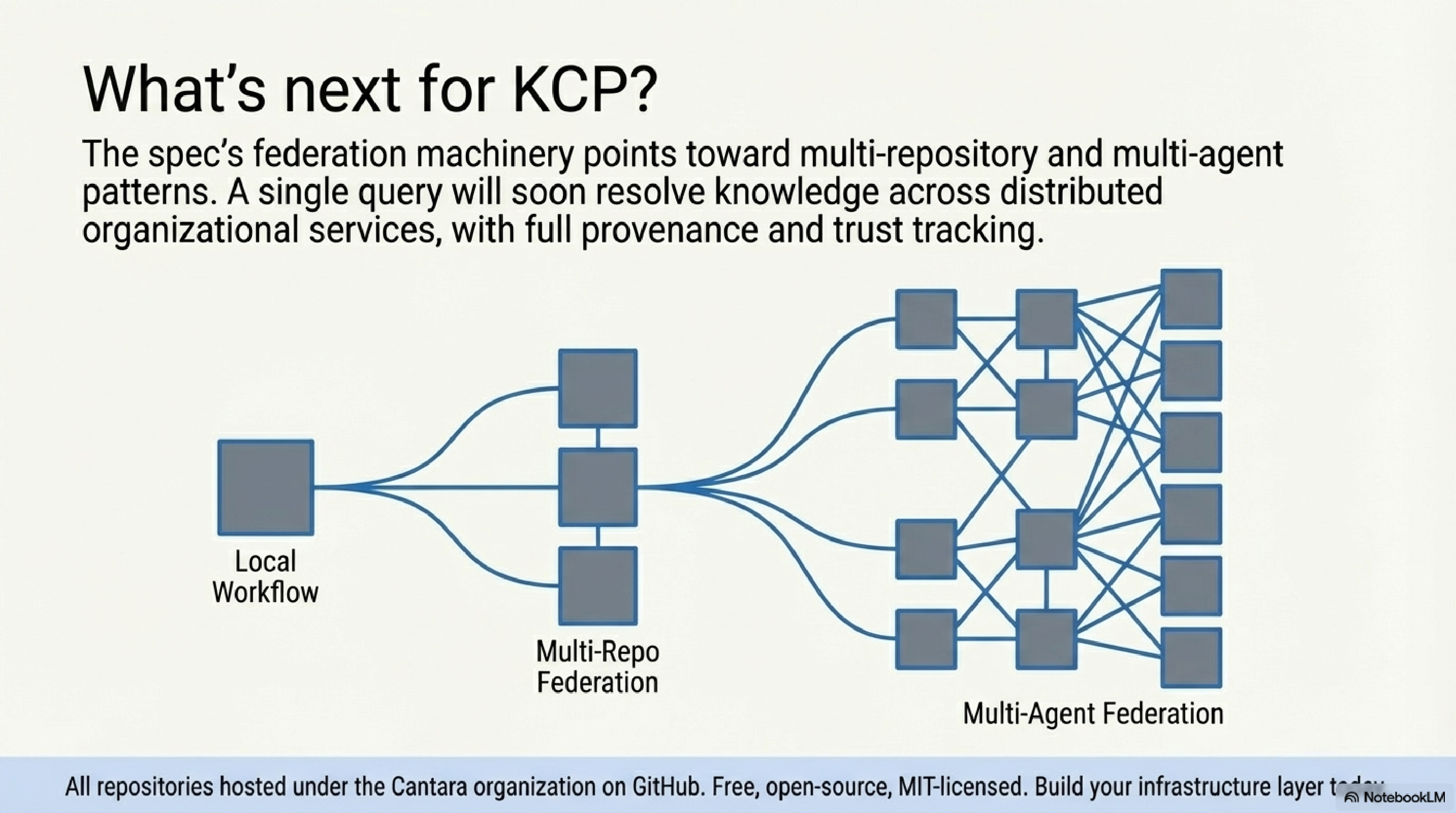
Longer term, the KCP spec's federation and delegation machinery points toward multi-repository and multi-agent patterns. The MCP integration story is also developing: there is a clear path from kcp-commands' hook mechanism to a first-class KCP MCP server that exposes manifest query capabilities directly to any MCP-compatible agent runtime.
All repositories are under the Cantara organisation on GitHub. The spec is MIT-licensed. The tooling is Apache 2.0.
Thor Henning Hetland is the founder of eXOReaction.
Series: Knowledge Context Protocol
← kcp-dashboard: Observability for the KCP Ecosystem · Part 24 of 24