kcp-mcp v0.10.0: GitHub Copilot Gets KCP — Including MCP-Locked Enterprises
A few days ago we prepared a roadmap for bringing KCP to GitHub Copilot users. Three phases, estimated ten days. This is the post where I explain that we shipped all three phases today — and then shipped a fourth: a complete zero-MCP path for enterprises that cannot run MCP servers.
v0.10.0 (released same day as v0.6.0) adds
--generate-all,--output-format compact,--split-by, and--generate-agent— a three-tier static integration for MCP-locked teams. See What v0.10.0 adds below.
The problem we were solving
GitHub Copilot commands 20 million users and 90% adoption in the Fortune 100.
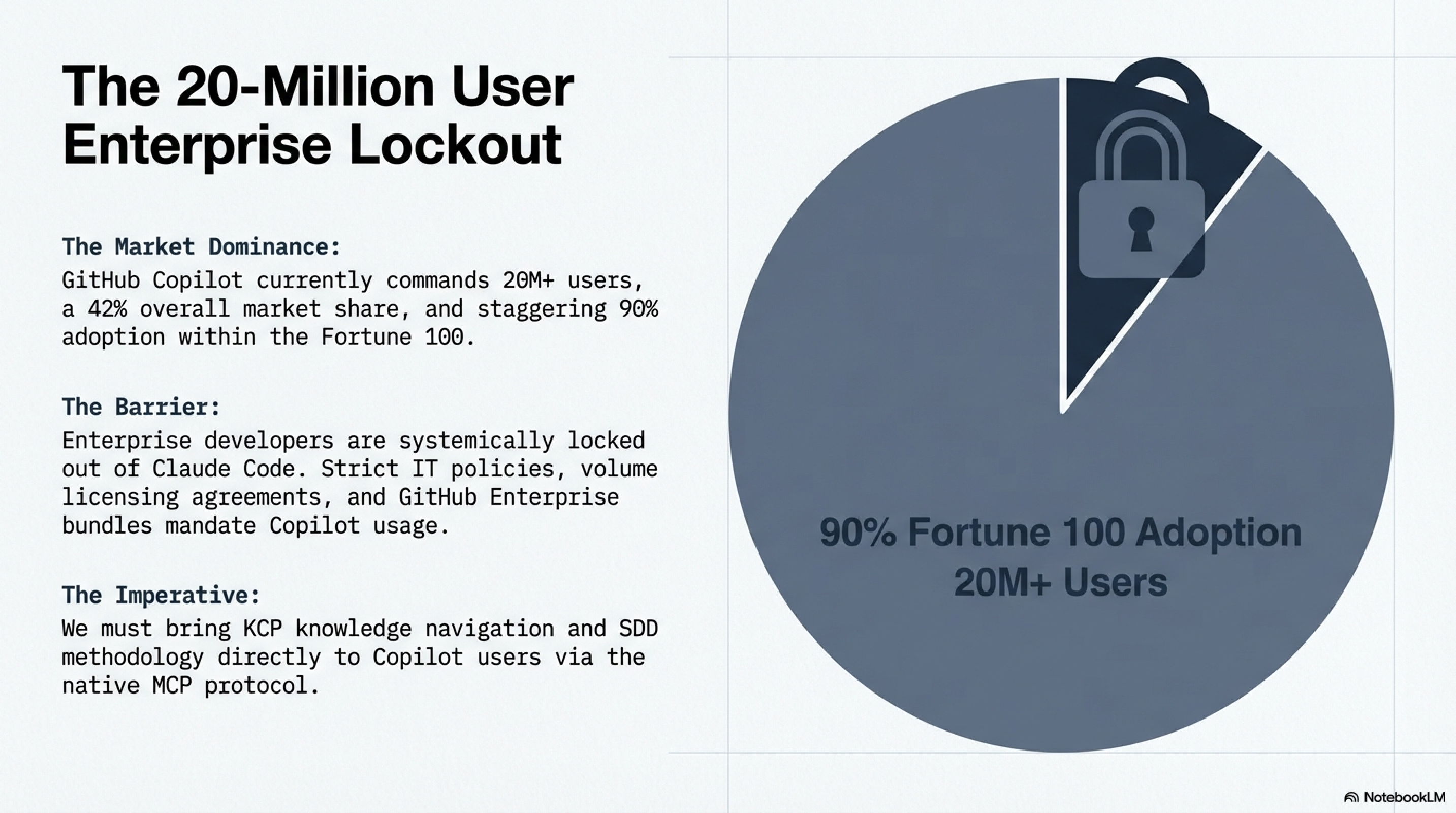
Enterprise developers in those organisations are not choosing Claude Code over Copilot. They are locked out by IT policy, volume licensing agreements, and GitHub Enterprise bundles. KCP's knowledge navigation and SDD methodology had no path into their workflow.
The fix was straightforward once MCP support in Copilot reached GA: build an MCP server that
exposes knowledge.yaml units as tools, not just resources. Tools let agents actively query
knowledge. Resources only let them browse.
From passive browsing to active querying
The v0.5.0 kcp-mcp bridge already worked with Copilot — but passively. Agents could call
resources/list to enumerate all knowledge units, then resources/read to load one by URI.
That requires knowing what to look for in advance.
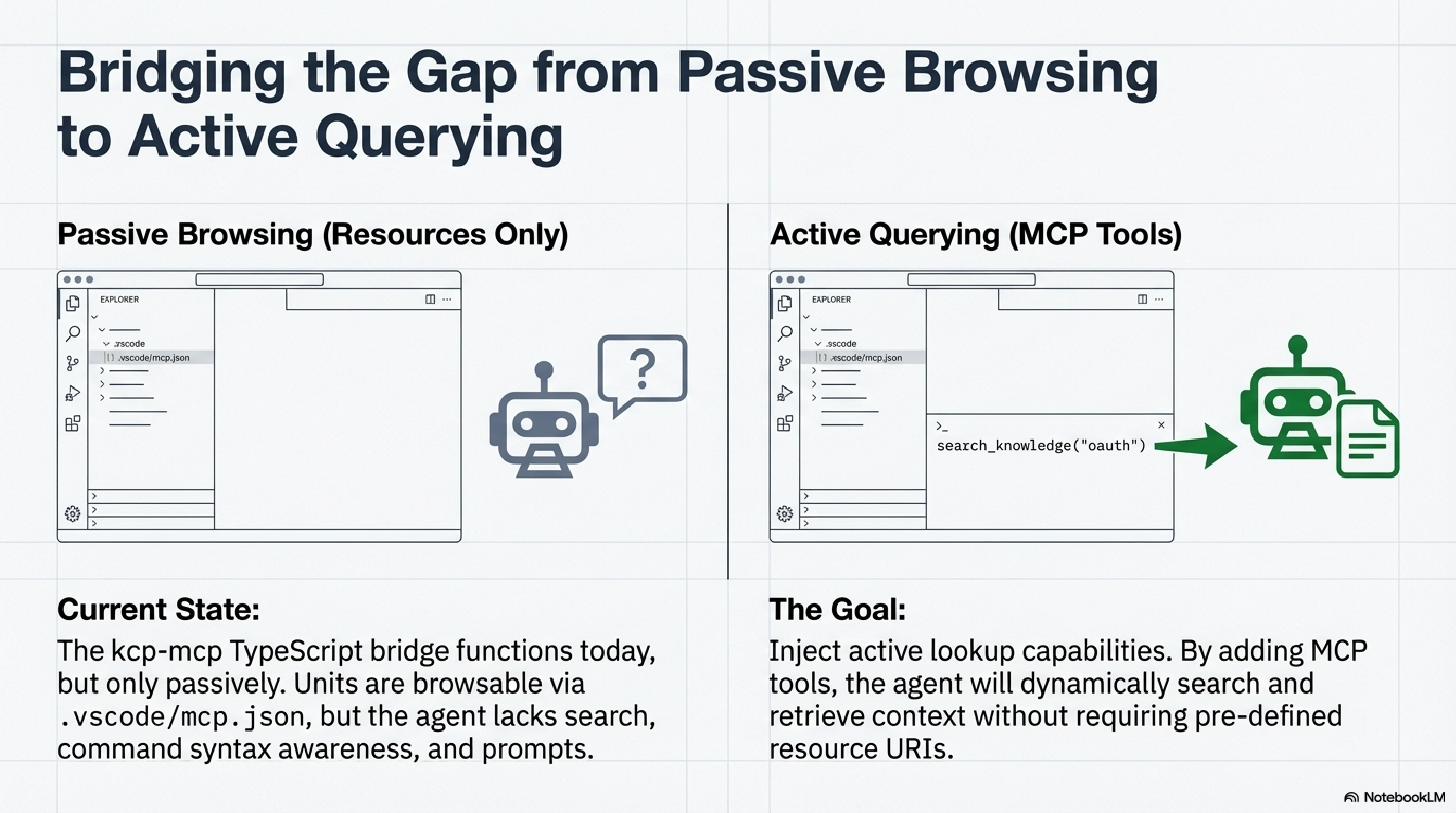
v0.6.0 adds active lookup. The agent says "find me what's documented about authentication" and gets a scored result list back. It does not need to know the unit ids ahead of time.
The plan said ten days. We shipped it in one session.
The NotebookLM planning deck estimated three phases across roughly ten days:
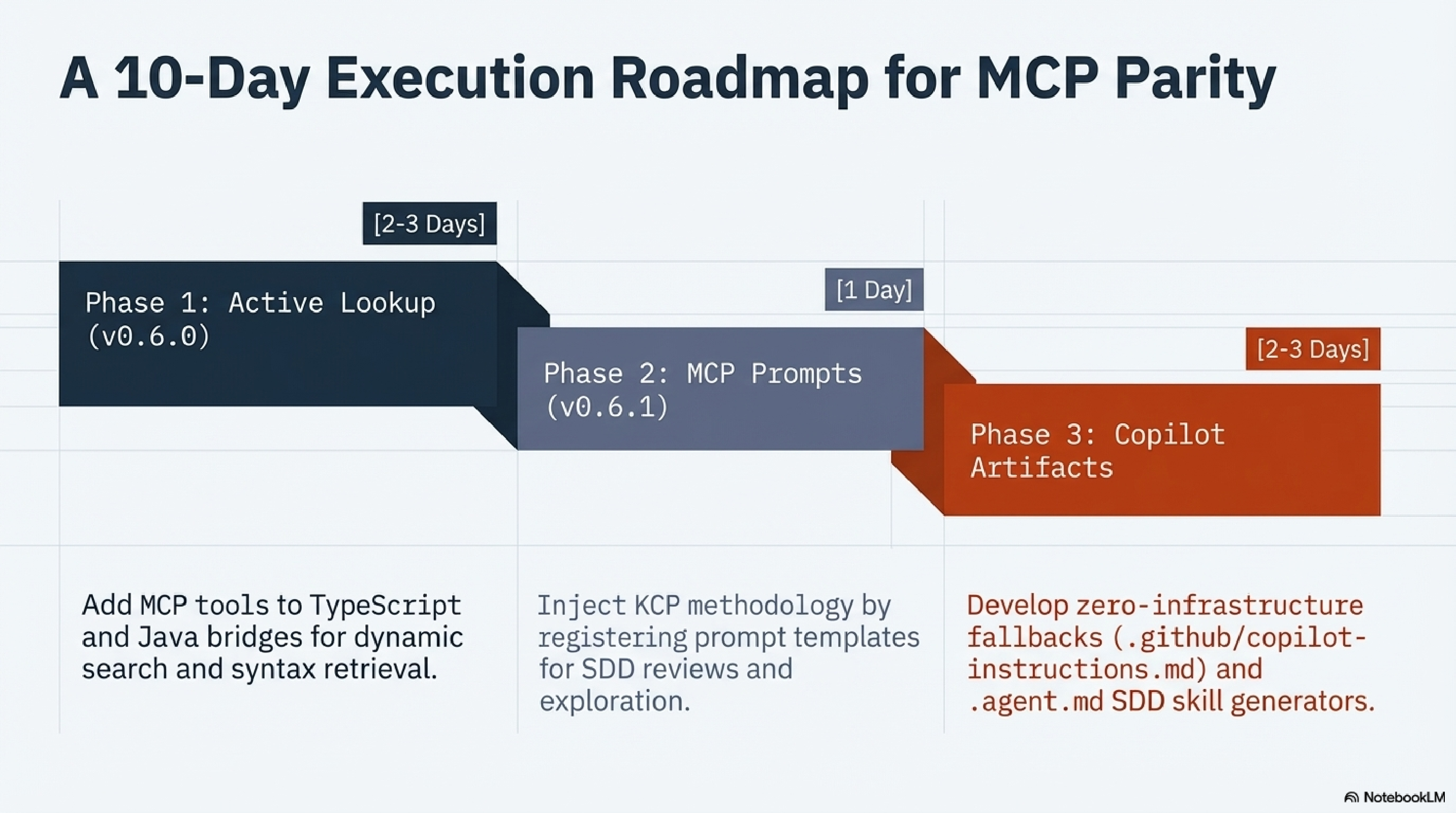
All three phases shipped in kcp-mcp@0.10.0 today, in both the TypeScript and Java bridges.
Note: Versions 0.7.0 through 0.9.0 were internal milestones; the first public release with three-tier support is v0.10.0.
What v0.6.0 adds
Three MCP tools
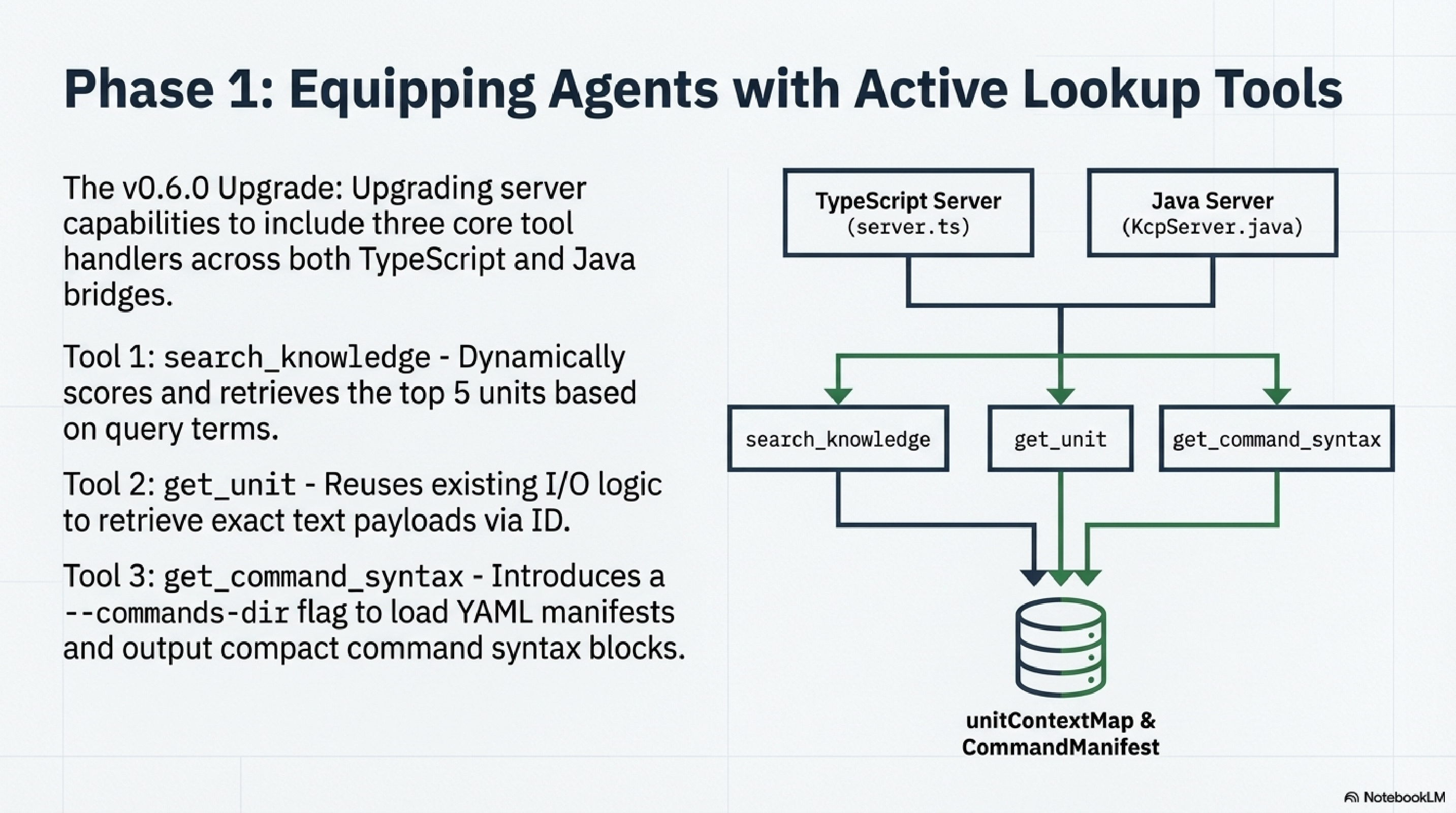
search_knowledge — Find units by keyword. The agent calls this instead of loading the
entire manifest. Input: { query, audience?, scope? }. Output: a JSON array of the top-5
matching units with id, intent, path, uri, and score.
get_unit — Fetch the full content of a unit by id. Input: { unit_id }. Output: the
raw file content — markdown, YAML, JSON, whatever the unit contains.
get_command_syntax — Get compact CLI syntax for any command (requires --commands-dir).
Input: { command } — e.g. "git rebase", "docker build", "mvn". Output: the same
compact block that kcp-commands injects for Claude Code users.
The scoring algorithm
When search_knowledge runs, it evaluates every unit in the manifest against a strict
scoring matrix:
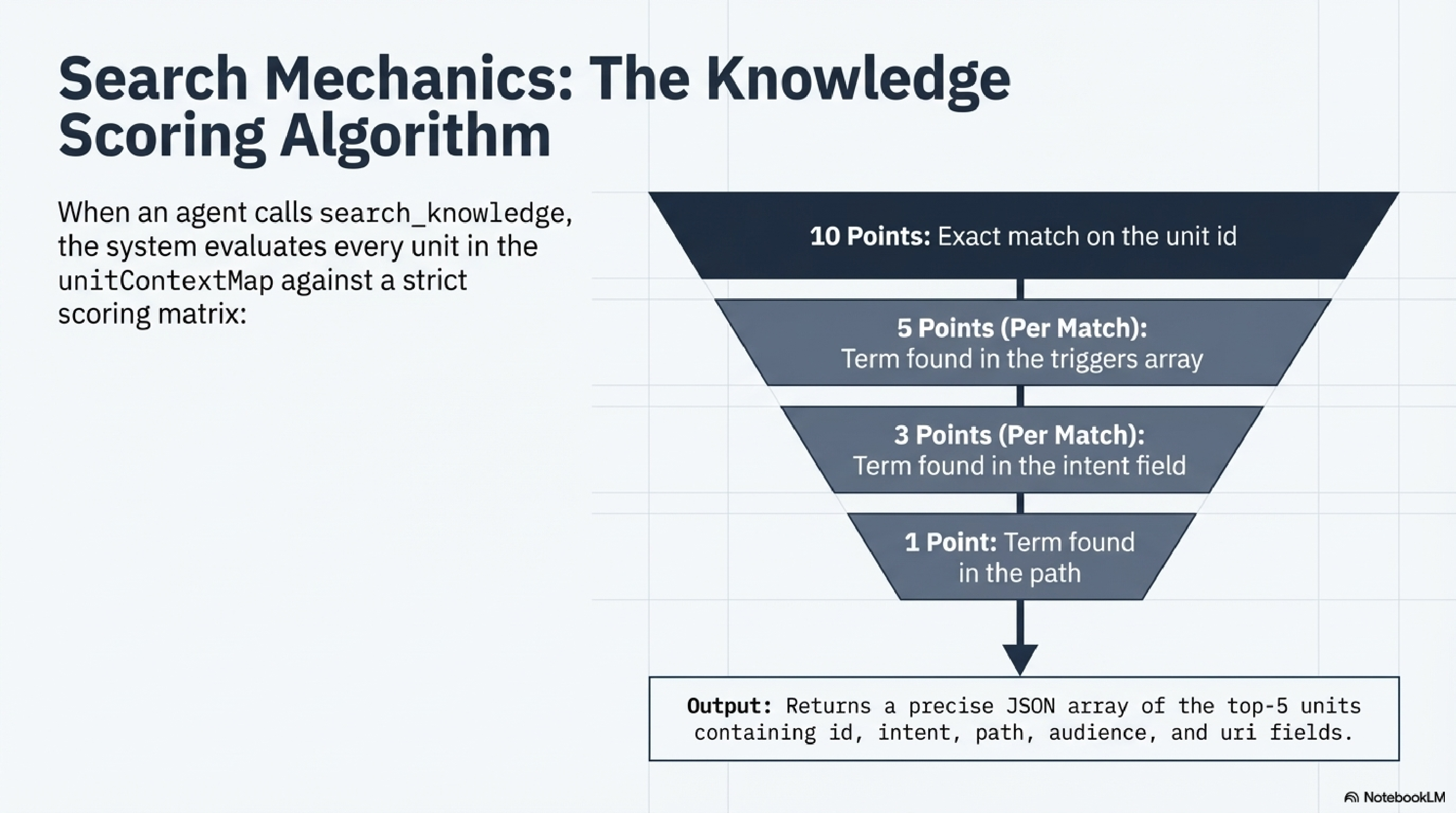
Exact match on the unit id: 10 points. Term found in triggers: 5 points per match.
Term found in intent: 3 points. Term found in path: 1 point. Top 5 returned.
This keeps responses tight. An agent asking about authentication gets the authentication units, not a dump of everything.
Two MCP prompts
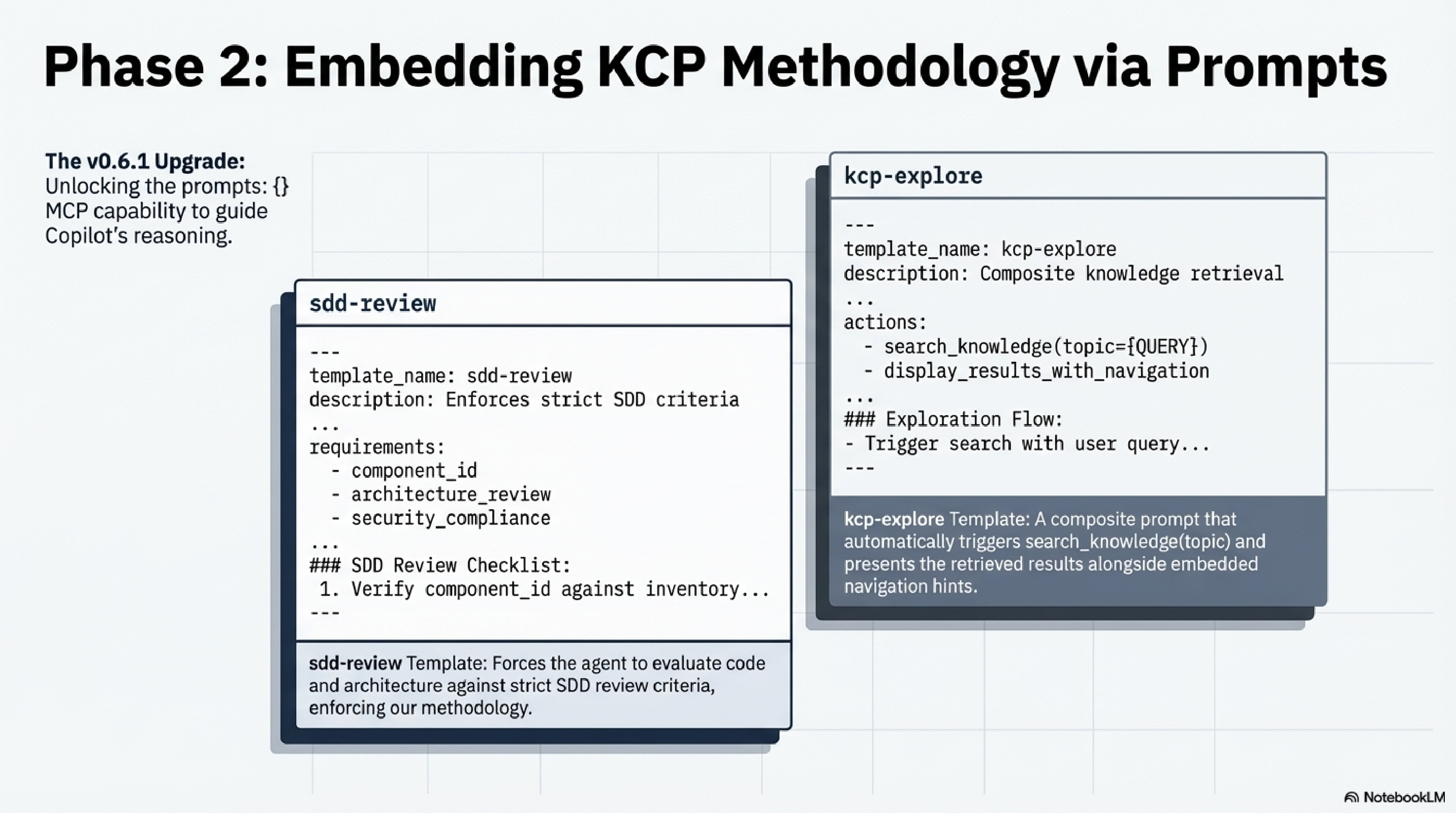
/sdd-review — Review code or architecture using SDD (Skill-Driven Development) methodology
principles. Optional focus argument: architecture, quality, security, performance.
Invoke in Copilot Chat as /sdd-review or /sdd-review focus=security.
/kcp-explore — Navigate available knowledge units for a topic. Required topic argument.
Invoke as /kcp-explore authentication or /kcp-explore deployment.
Zero-infra option: --generate-instructions
For locked-down environments where no MCP server can run:
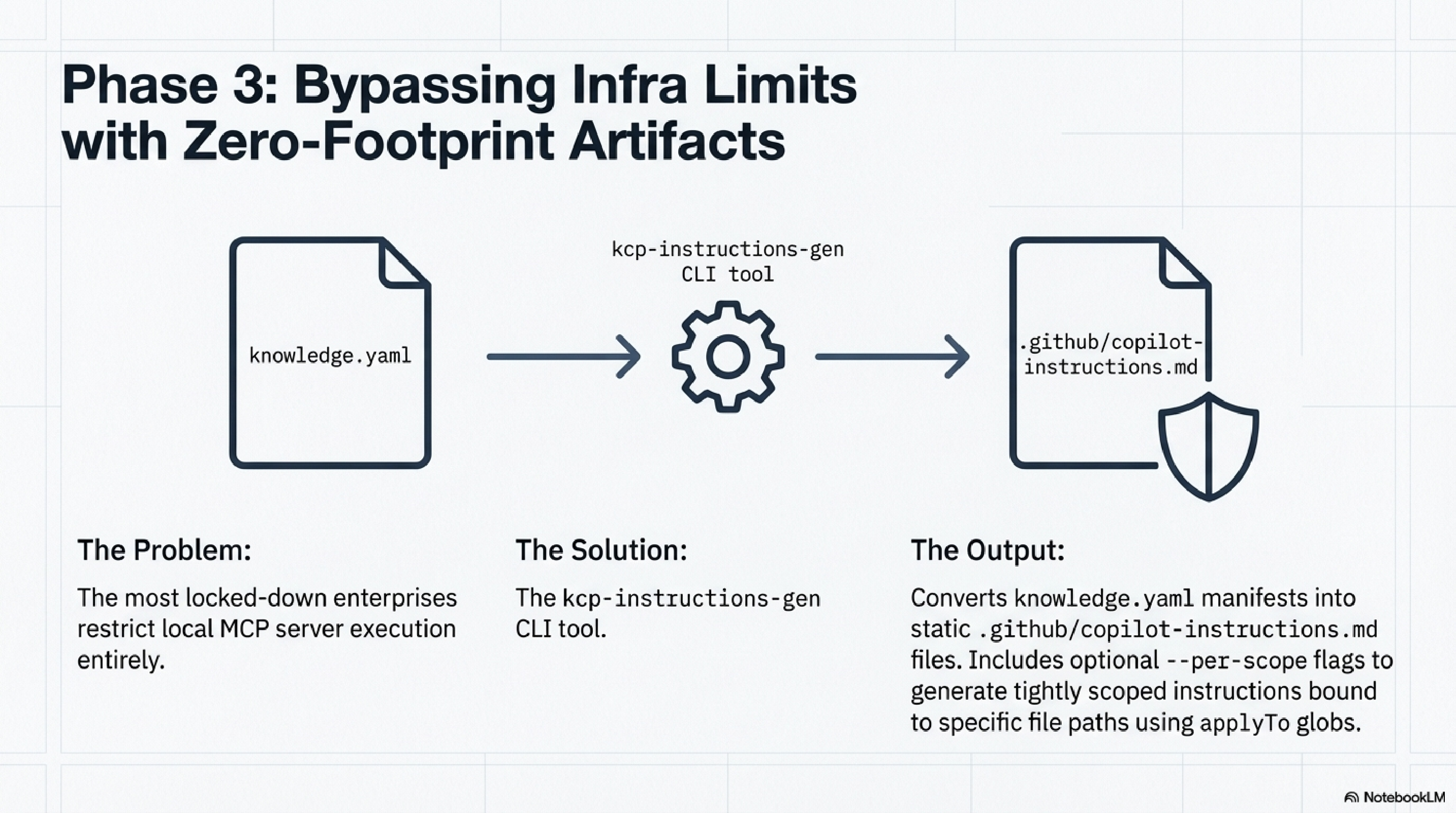
npx kcp-mcp --generate-instructions knowledge.yaml > .github/copilot-instructions.md

# Agent-facing units only
npx kcp-mcp --generate-instructions knowledge.yaml --audience agent > .github/copilot-instructions.md
Commit the file. Copilot automatically injects its contents into every chat in the repository. No server, no Node.js runtime, no configuration beyond committing a file.
The 60/100 Rule
Not everything comes across. Phase B output filtering and full SDD skill graphs remain Claude Code-exclusive. That is deliberate.
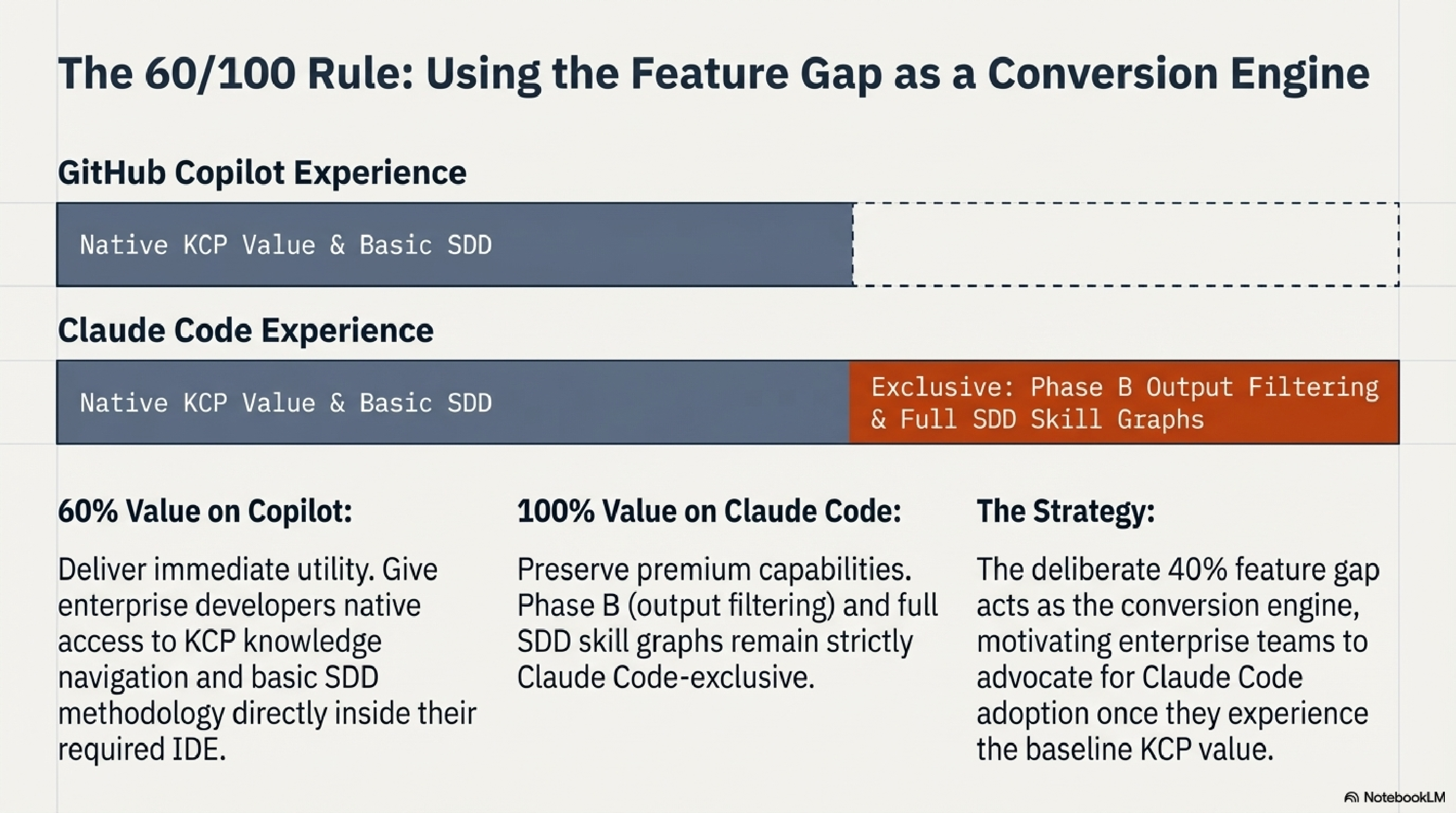
Copilot users get the knowledge layer: search_knowledge, get_unit, get_command_syntax,
the two methodology prompts, and --generate-instructions. That is meaningful value for
teams who cannot leave their current IDE.
Claude Code users keep Phase B (the output noise filter that recovers 33% of context window) and the full SDD skill graph integration, which has no equivalent in the Copilot model. The 40% gap is the conversion argument for enterprise teams who want to go further.
What v0.10.0 adds
Early feedback after v0.6.0 was immediate: "MCP is a no-go in most large enterprises." Security policy, locked-down environments, GitHub Enterprise air-gaps — MCP servers simply cannot run in a large fraction of the organisations that need KCP most.
v0.10.0 answers that with a complete three-tier static integration. No server. No Node.js at runtime. Just files committed to the repository.
Three tiers, one command
This produces three files:
| Tier | File | When Copilot loads it |
|---|---|---|
| 1 | .github/copilot-instructions.md |
Every chat — compact table index |
| 2 | .github/instructions/*.instructions.md |
Path-matched — only when editing relevant files |
| 3 | .github/agents/kcp-expert.agent.md |
On-demand — user invokes @kcp-expert |
Tier 2 is the key insight. Copilot's applyTo glob patterns mean auth documentation only
injects when someone edits auth code. A 30-unit manifest becomes five targeted files of
six units each — instead of one large file that loads every prompt.
The @kcp-expert agent
The generated .github/agents/kcp-expert.agent.md gives Copilot a knowledge navigator
without MCP. Users invoke it with @kcp-expert how does authentication work? and the agent
scans the embedded unit table, reads the relevant file, and answers.
Fine-grained control
# Compact index only (< 4K chars — works with Copilot Code Review)
npx kcp-mcp@0.10.0 --generate-instructions knowledge.yaml --output-format compact

# Split into path-specific files by scope or directory
npx kcp-mcp@0.10.0 --generate-instructions knowledge.yaml \
  --output-dir .github/instructions/ \
  --split-by directory

# Generate agent file only, with size ceiling
npx kcp-mcp@0.10.0 --generate-agent knowledge.yaml --max-chars 25000
Keep instructions fresh with CI/CD
# .github/workflows/kcp-sync.yml
name: KCP Sync Instructions
on:
  push:
    branches: [main]
    paths: ['knowledge.yaml', 'docs/**']
  schedule:
    - cron: '0 6 * * 1'  # Weekly freshness check
permissions:
  contents: write
jobs:
  sync:
    runs-on: ubuntu-latest
    steps:
      - uses: actions/checkout@v4
        with:
          token: ${{ secrets.GITHUB_TOKEN }}
      - uses: actions/setup-node@v4
        with:
          node-version: '20'
      - run: npx kcp-mcp --generate-all knowledge.yaml
      - name: Commit if changed
        run: |
          git diff --quiet .github/ && exit 0
          git config user.name "github-actions[bot]"
          git config user.email "github-actions[bot]@users.noreply.github.com"
          git add .github/
          git commit -m "chore: sync KCP instruction artifacts"
          git push
Commit knowledge.yaml, CI keeps the instructions current. No manual step.
Honest assessment: still ~60% of MCP value
The 60/100 rule holds. Dynamic keyword scoring, on-demand get_unit for arbitrary
topics, get_command_syntax across 284 commands, and Phase B output filtering remain
MCP-only. But for organisations where MCP is blocked, 60% is infinitely better than zero.
Setup
VS Code (Copilot)
Create .vscode/mcp.json in your project root:
{
  "servers": {
    "project-knowledge": {
      "type": "stdio",
      "command": "npx",
      "args": ["kcp-mcp@0.10.0", "knowledge.yaml"]
    }
  }
}
With kcp-commands syntax tool (284 bundled command manifests):
{
  "servers": {
    "project-knowledge": {
      "type": "stdio",
      "command": "npx",
      "args": [
        "kcp-mcp@0.10.0",
        "knowledge.yaml",
        "--commands-dir",
        "${workspaceFolder}/node_modules/kcp-commands/commands"
      ]
    }
  }
}
Reload VS Code. The server appears under Copilot icon → MCP Servers.
Claude Code
{
  "mcpServers": {
    "project-knowledge": {
      "command": "npx",
      "args": ["kcp-mcp@0.10.0", "knowledge.yaml"]
    }
  }
}
Full setup guide for all IDEs: docs/guides/copilot-setup.md.
Java bridge
Both bridges ship at full parity. The Java bridge (kcp-mcp fat JAR) now includes
KcpCommands, KcpInstructions, and the same three tools and two prompts as the
TypeScript bridge. Pass --commands-dir and --generate-instructions to the Java CLI
exactly as you would to npx kcp-mcp.
{
  "mcpServers": {
    "project-knowledge": {
      "command": "java",
      "args": ["-jar", "/path/to/kcp-mcp-0.10.0-jar-with-dependencies.jar", "knowledge.yaml"]
    }
  }
}
Install
# npm (no install needed — just run)
npx kcp-mcp@0.10.0 knowledge.yaml

# or install globally
npm install -g kcp-mcp
Package: npmjs.com/package/kcp-mcp Source: github.com/Cantara/knowledge-context-protocol
This post is part of the Knowledge Context Protocol series. Related: kcp-commands: Save 33% of Claude Code's Context Window · Beyond llms.txt: AI Agents Need Maps, Not Tables of Contents.
Series: Knowledge Context Protocol
← KCP Comes to OpenCode: The First AI Coding Tool Plugin · Part 17 of 24 · The Front Door and the Filing Cabinet: A2A Agent Cards Meet KCP →