Five Architecture Patterns for AI Agents That Actually Work
Most writing about AI agents is aspirational. Autonomous systems that plan, reason, and execute complex workflows end-to-end. The vision is compelling. The reality, after building and running agents in production across multiple projects, is more mundane and more useful. The patterns that survive contact with real workloads are not the clever ones. They are the simple ones that fail in predictable ways.
What follows are five architectural decisions that made the difference between agents that reliably complete tasks and agents that confidently fail. None of them are universal. Each has a specific context where it works and a specific context where it does not. I have learned both sides, sometimes expensively.
1. Grep over RAG
The default recommendation for giving an AI agent access to a knowledge base is retrieval-augmented generation: embed your documents into vectors, store them in a database, retrieve semantically similar chunks at query time, and inject them into the prompt. It is a reasonable architecture for large-scale unstructured corpora where you do not control the documents and cannot predict what the user will ask.
For most of the knowledge retrieval I actually do, it is the wrong choice.
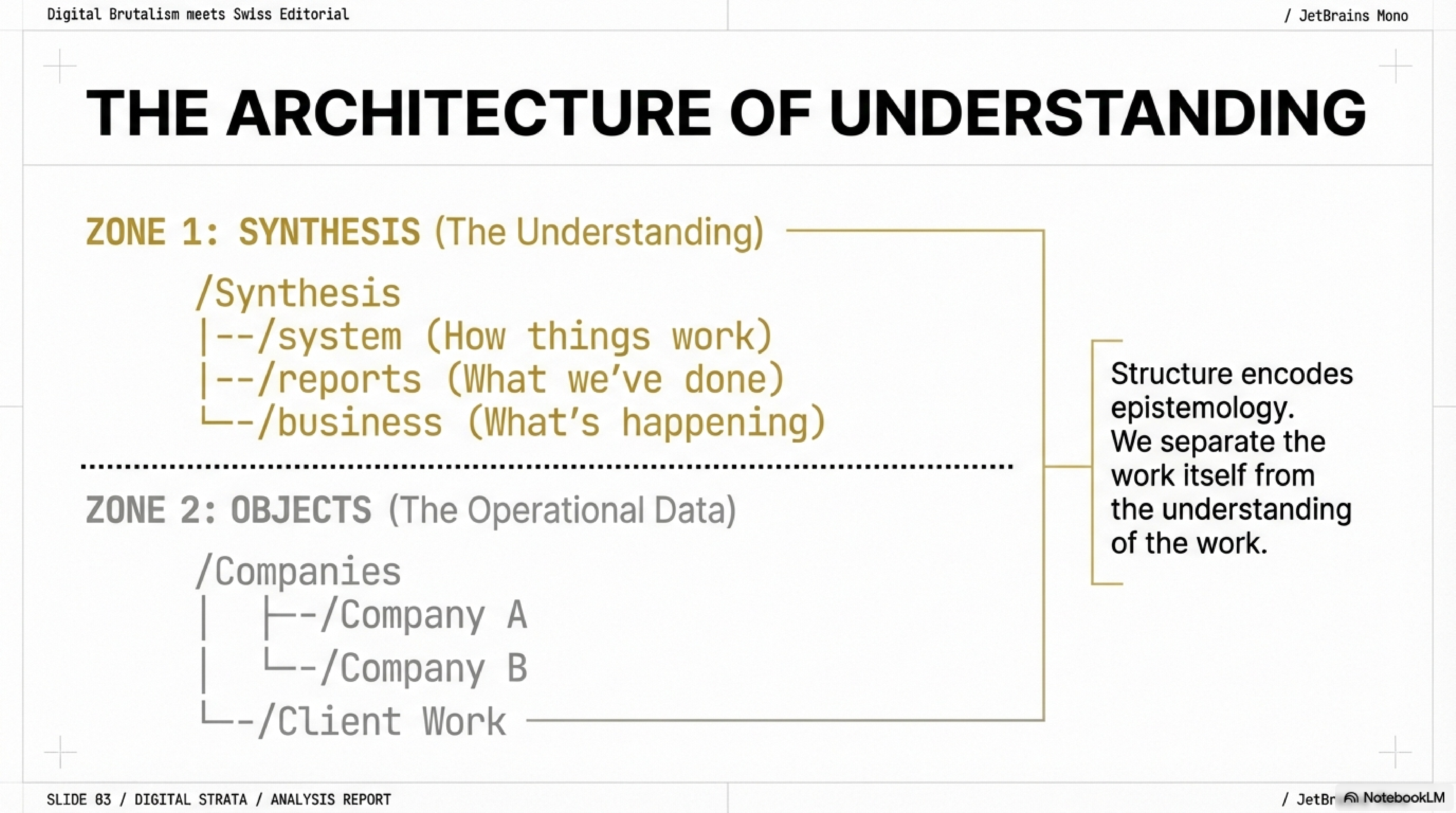
When you own the documents -- your own codebase, your own configuration, your own institutional knowledge files -- a well-maintained search index over the actual files outperforms an embedding pipeline in almost every dimension that matters. The results are deterministic. You get exact file paths and line numbers, not semantic neighbors that may or may not contain what you need. There is no embedding drift where the vector representation of a document quietly diverges from its current content after an update. Debugging is trivial: the query is a string, the result is a file, you can verify correctness by reading it.
I have watched agents with RAG pipelines return confident answers sourced from stale embeddings of documents that had been updated days earlier. The vector store still contained the old version. The agent had no way to know. With a search index over the live filesystem, staleness is not a failure mode. The index reads what is there now.
When to use it: You own the documents. You can maintain the index. The corpus is under ten thousand files. You need deterministic, verifiable retrieval.
When not to use it: The corpus is massive and unstructured -- millions of documents you do not control. The queries are genuinely semantic rather than keyword-matchable. You need fuzzy similarity across natural language where exact string matching fails. RAG exists for a reason; just not the reason most people reach for it.
2. Sub-agents with isolated context
A single agent conversation accumulating tokens over a long session degrades. This is not a theory. It is something you observe in practice around the 40,000-token mark and it gets worse from there. The agent starts losing track of earlier instructions. It conflates details from different parts of the conversation. It makes confident references to things that were discussed but slightly misremembers them. The context window is not the same as the attention window, and the practical attention window is smaller than the specification suggests.
The fix is structural. Instead of one agent doing everything in a single long conversation, you spawn sub-agents: fresh context windows, each delegated a specific subtask. The parent agent defines the task, provides the relevant subset of context, and evaluates the result. The sub-agent executes cleanly, unburdened by the accumulated noise of everything that came before.
I started doing this after watching a long-running agent that had successfully completed eight subtasks fail on the ninth -- not because the ninth was harder, but because the context from the previous eight had accumulated enough noise to degrade its focus. Restarting the ninth task in a fresh context window, with only the relevant specification, produced a correct result on the first attempt.
The parent-child structure also gives you a natural supervision point. The parent can verify the sub-agent's output before incorporating it, catching errors that a single continuous agent would not notice because it generated them incrementally.
When to use it: Multi-step workflows. Tasks that take more than fifteen minutes of agent time. Anything where the total context would exceed 30,000 tokens.
When not to use it: Short, focused tasks where the overhead of spawning a sub-agent exceeds the benefit. Tasks where continuity of reasoning across steps is essential and the subtasks cannot be cleanly separated. Sometimes one conversation is the right shape.
3. Bash as universal tool
The temptation when building agent tooling is to create a specialized tool for everything. A tool for reading files. A tool for searching code. A tool for running tests. A tool for deploying. A tool for checking service health. Each with its own schema, its own error handling, its own maintenance burden. You end up with a tool registry that is itself a significant piece of software.
Give the agent bash instead.
A shell is a universal composition layer. The agent can read files, search code, run tests, check service status, parse JSON, make HTTP requests, and chain operations together using pipes and conditionals -- all through a single interface. You do not need to anticipate every operation in advance. The agent composes what it needs from the primitives the operating system already provides.
The constraint is obvious: security. An agent with shell access can do anything the user running it can do, including destructive things. This means bash-as-tool requires a security boundary -- sandboxing, restricted permissions, confirmation prompts for dangerous operations. That is real engineering work. But it is less engineering work than building and maintaining fifty specialized tools, and the resulting system is more capable because it can handle operations you did not anticipate when you designed the toolset.
In practice, I find that agents with shell access solve novel problems that no predefined tool registry would have covered. The agent needs to check whether a specific port is in use before starting a service? lsof -i :8080. It needs to compare two configuration files? diff. It needs to find every file modified in the last hour? The tools are already there. You just need to let the agent use them.
When to use it: Development workflows. Operations tasks. Any context where the agent runs in a controlled environment and the user can review or approve commands.
When not to use it: Untrusted environments. User-facing agents where the input is not controlled. Any context where the blast radius of a wrong command is unacceptable. The power of bash is exactly proportional to its danger.
4. Prompt-enforced task tracking
Agents lose track of multi-step work. Not sometimes. Reliably. Give an agent a list of six tasks, and somewhere around task four it will either skip one, repeat one, or subtly redefine the scope of the remaining tasks based on what it learned doing the earlier ones. This is not a bug in any specific model. It is a consequence of how attention works over long sequences.
The fix is embarrassingly simple. Make the agent maintain an explicit task list -- written into the conversation or into a file -- and update it as each step completes. A TODO list. The oldest project management tool in existence.
The mechanism matters less than the explicitness. What works is any structure where the agent can look at a concrete artifact and see: here is what I have done, here is what remains, here is what I am doing now. Without that artifact, the agent relies on its implicit model of the conversation state, which degrades as the conversation grows.
I use a pattern where the initial prompt includes a numbered task list, and the agent is instructed to mark each task as complete before moving to the next. When a task turns out to require sub-steps, the agent adds them to the list. When a task's scope changes based on new information, the agent updates the list to reflect the change. The list becomes a running contract between the human and the agent about what "done" means.
This pattern has a second benefit: it makes the agent's work auditable. When something goes wrong, you can look at the task list and see exactly where the agent deviated. Without the list, debugging a failed multi-step workflow means reading the entire conversation and reconstructing the agent's intent at each step.
When to use it: Any multi-step workflow with more than three steps. Complex tasks where the definition of done is not obvious from the initial prompt. Long-running sessions.
When not to use it: Simple, single-step tasks where the overhead of maintaining a list exceeds the cost of the occasional missed step. If the task fits in one sentence, you do not need a tracking system.
5. Context compression at scale
Long sessions accumulate redundant context. The agent explored three approaches to a problem, rejected two, and chose the third. All three explorations are still in the context window, consuming tokens and competing for attention. The agent asked a clarifying question an hour ago. The question and its answer are still there, but the answer has been superseded by subsequent work. Dead context does not disappear. It sits in the window and dilutes the signal.
Periodic summarization fixes this. At natural breakpoints -- after completing a major subtask, before starting a new phase, when the context is getting long -- you compress the conversation into a summary of what has been decided, what has been built, and what remains. Then you continue from the summary, not from the full history.
The test for whether your summary is sufficient is operational: can you restart the session from the summary alone, without access to the full conversation, and continue working without losing essential state? If yes, the summary captured the right information. If not, something critical was lost in the compression.
I learned this the hard way after a session where an agent spent ninety minutes building a complex feature, then made a decision in minute ninety-five that contradicted an architectural constraint established in minute twelve. The constraint was still technically in the context. But it was buried under eighty minutes of implementation detail, and the agent's effective attention had moved on. A summary checkpoint at the sixty-minute mark, restating the active constraints, would have prevented it.
The mechanism can be explicit -- you tell the agent to summarize and restart -- or structural, built into the agent framework as automatic context management. Either way, the principle is the same: context has a half-life, and ignoring that half-life produces agents that forget their own constraints.
When to use it: Sessions longer than thirty minutes. Workflows that span multiple phases with different concerns. Any context where the total conversation exceeds 20,000 tokens.
When not to use it: Short sessions where the full conversation fits comfortably in the attention window. Tasks where the full reasoning chain needs to be preserved for auditability and compression would lose legally or technically required detail.
What all five have in common
These patterns do not look like the future. They look like the past. A search index. A task list. A shell. A process hierarchy. A summary document. These are tools and techniques that predate AI by decades. There is nothing novel here.
That is the point.
The agents that work in production are not the ones with the most sophisticated architectures. They are the ones built on mechanisms that are simple enough to understand, simple enough to debug, and simple enough to fix when they fail. And they will fail. Every agent fails eventually. The question is whether you can diagnose the failure in five minutes or five hours.
Grep is debuggable. RAG pipelines are not, at least not quickly. A task list is inspectable. An agent's implicit reasoning state is not. Bash commands are readable. A fifty-tool registry with custom schemas is a maintenance burden. Sub-agents with clear boundaries are testable in isolation. A monolithic agent conversation is testable only as a whole.
The common thread is human control. Each pattern keeps the human in a position to understand what the agent is doing, verify that it is correct, and intervene when it is not. The moment you lose that -- the moment the agent's behavior becomes opaque because the architecture is too clever to inspect -- you have built a system that works until it does not, and when it stops working, you cannot tell why.
Simplicity is not a compromise. In agent architecture, it is the design goal.
This post is part of the AI-Augmented Development series, exploring how thirty years of software experience intersects with AI-assisted development.